Salesforce Metadata Deployer | Blue Canvas

Backup, Compare, Deploy
Salesforce Metadata

Trusted by teams at Twilio, Sysco, and 850M+ lines of code backed up
Git-powered Version Control for Salesforce

Blue Canvas tracks each of your sandboxes and orgs in a Git repository
All changes are automatically backed up
Reverting changes becomes a non-event, done within minutes

No merge conflict in Salesforce deployment

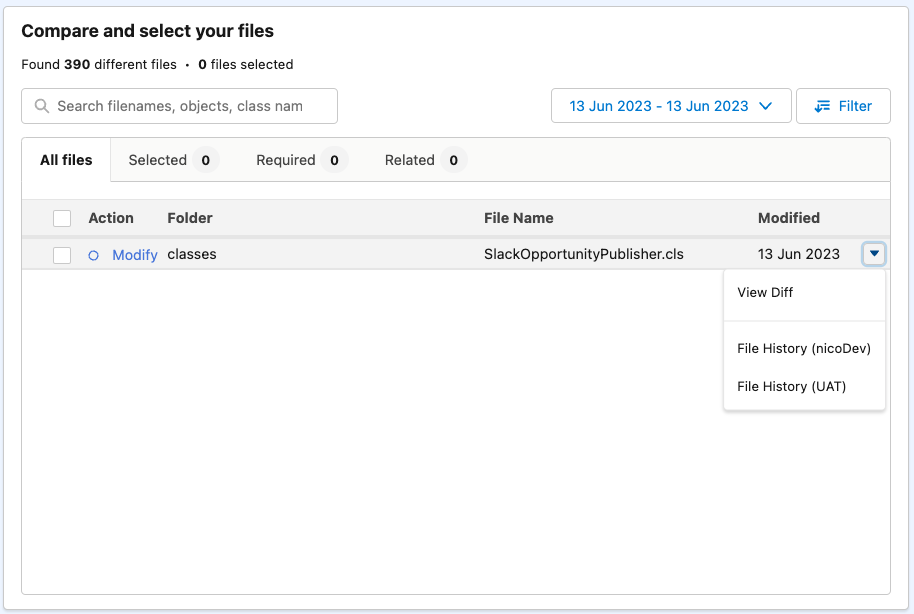
Compare your Salesforce orgs within seconds

Tell Blue Canvas which Source & Target orgs to compare
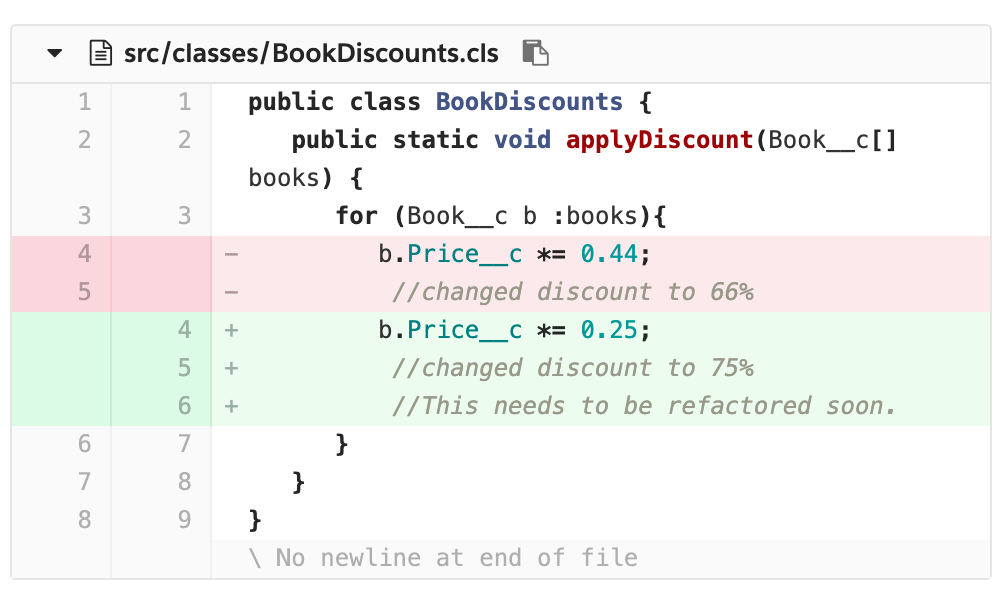
Review all changes in metadata and Apex code. Deletions included!
It's easy to cherry-pick changes, review the history, and synch!

Compare Salesforce orgs

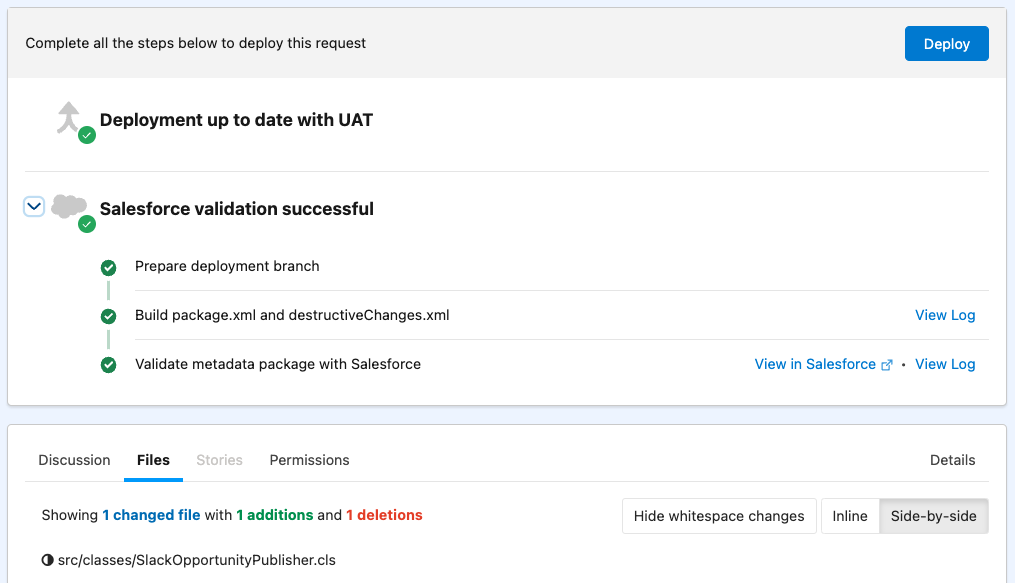
Open Deployment Requests, get Peer Reviews, ship across sandboxes! πŸš€

Automated validation and testing of your deployment package
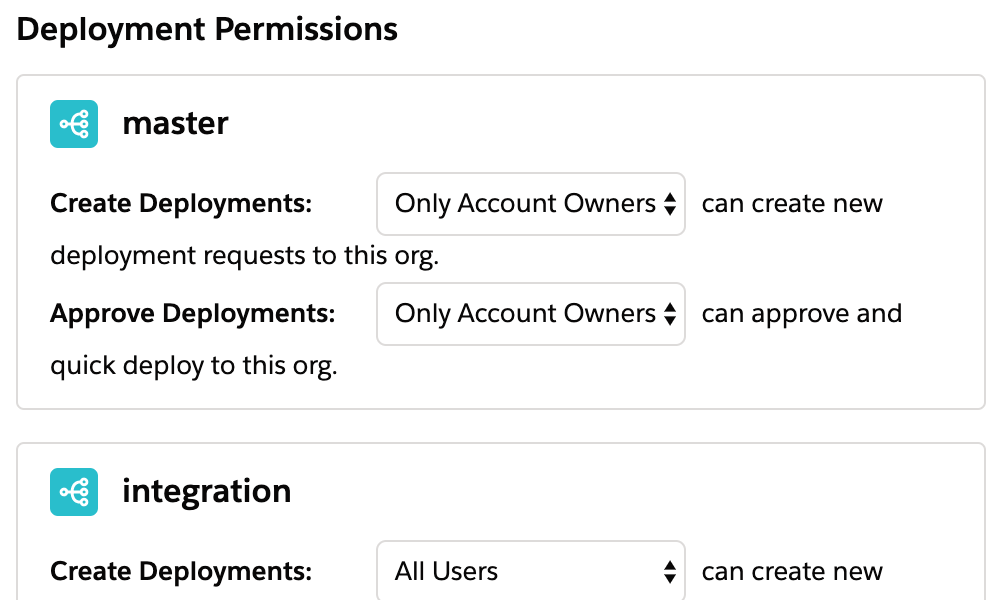
Peer Reviews, team notifications, and branch approval policies
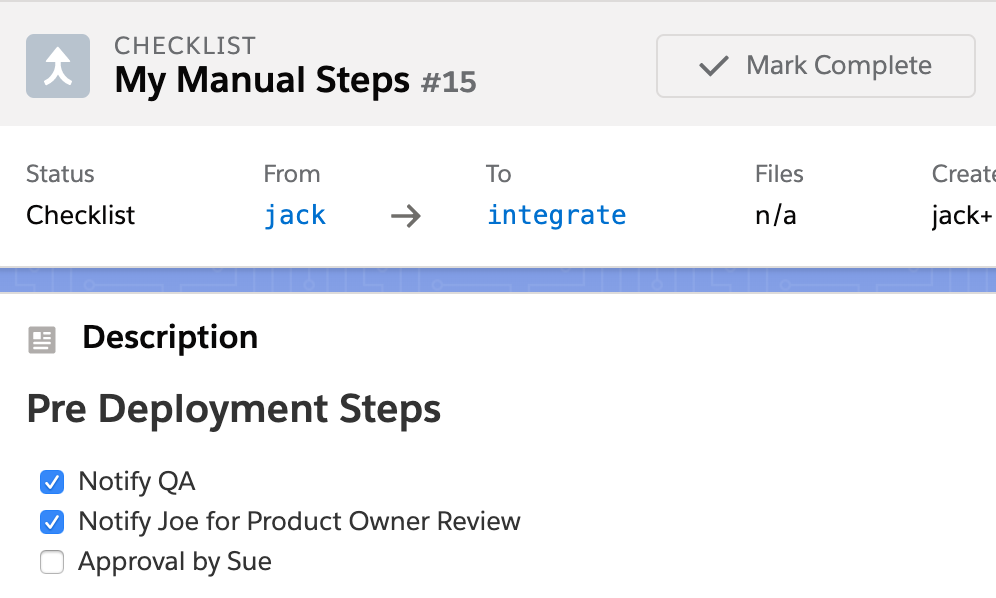
Customizable pre- and post-deployment steps

Salesforce deployment package validation

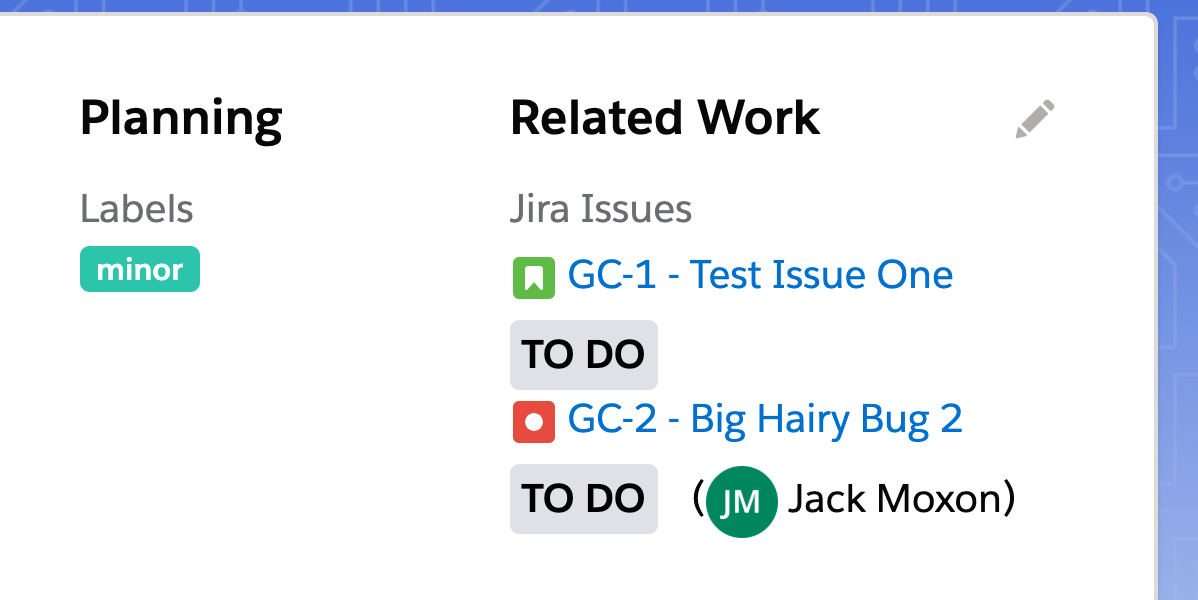
Connect with your DevOps suite β€” Jira, Azure, test tools & more

Tickets are automatically updated upon release (in your Jira, Azure DevOps or else)
Notifications are sent through Slack, Teams, email or others
Webhooks and APIs available for custom integrations

Salesforce Jira integration

Immediate DevOps Benefits, without the setup headache

Icon

Your current setup remains

Just connect our SaaS to your Salesforce orgs. It will then track changes and guide you through deployments.

Icon

No extra Git setup or fee

You won't need to configure any extra git repo nor to pay for additional git licenses.

Icon

Same tool for admins+devs!

Within minutes you get your team to ship together, in a common platform based on LDS.

More Salesforce Automation Features, packed-in πŸ“¦

Dependency Resolution

Blue Canvas proactively informs you about fields, classes, layouts, and other metadata types missing from your deployment.

Learn more about Salesforce Dependency Resolution β†’

Merge Conflict Resolution

Blue Canvas detects on-the-fly if your deployment is conflicting with other changes that happened on the destination org.

Learn more about Salesforce Merge Conflicts β†’
Salesforce pre-deployment steps

Deployment checklists

Checklists are templates for manual actions that need to be taken, such as code reviews or other deployment tasks not supported by the Salesforce Metadata API.

Start your DevOps journey today

Over 850,000,000 lines of code are securely backed up in Blue Canvas, allowing customers to continuously deploy or even rollback in Salesforce.

Trusted by teams at Twilio, Sysco, and 850M+ lines of code backed up
FAQs

What makes Blue Canvas different from other Salesforce deployment tools?

Blue Canvas is the only Salesforce DevOps platform that automatically tracks every org change in Git without any repository setup or CLI configuration. You connect your org in 4 clicks and tracking starts immediately. No extra Git licenses, no scripting, no DevOps engineer required to get started. Admins and developers work on the same platform from day one.

How does Blue Canvas help teams move away from Salesforce change sets?

Change sets are manual, don't show deletions, and have no history. Blue Canvas replaces them with automatic metadata tracking, side-by-side org comparisons that include destructive changes, and one-click deployment packages with built-in validation. Teams like Sysco moved from hours-long deployments to minutes without changing their existing toolchain.

How does Blue Canvas improve deployment speed?

Blue Canvas eliminates the manual steps that slow releases down β€” building packages by hand, hunting for missing dependencies, coordinating approvals over email. Org comparisons run in seconds, dependencies are flagged automatically during package creation, and Quick Deploy lets you ship to production in one automated step once validation passes.

Does Blue Canvas work for Salesforce admins who don't know Git?

Yes. Admins use a point-and-click interface to compare environments, select what to deploy, and submit for approval. No command line, no branching, no Git knowledge needed. Developers on the same team get full Git history and code review workflows. It's one shared platform that meets both where they are.

How does Blue Canvas handle missing dependencies in a deployment package?

Blue Canvas scans your deployment package during creation and surfaces every dependency β€” fields, objects, layouts, classes, and other required components β€” before you deploy. Missing items are identified and can be added to the package on the spot, so you're not discovering gaps after a failed production deployment.

Can Blue Canvas manage deployments across multiple sandboxes and environments?

Yes. Every org you connect gets its own tracked branch. You can compare any two environments at any time, see what's diverged, and promote changes through dev, QA, UAT, and production with validation and approval gates at each stage. As you add more sandboxes, they connect in minutes and tracking starts automatically.

How does Blue Canvas handle deleted components and destructive changes?

Deletions are tracked in Git alongside all other metadata changes and surfaced explicitly in your org comparison β€” unlike Salesforce change sets, which don't show them at all. You review destructive changes before deploying, so nothing gets removed from a target org without your sign-off.

Does Blue Canvas support Profiles and Permission Set deployments?

Yes. Blue Canvas includes a dedicated deployer for Profiles, Permission Sets, and Field-Level Security. You compare permission configurations between any two orgs and deploy only the specific changes you need β€” no full profile overwrite, no risk of unintentionally wiping unrelated permissions.

How does Blue Canvas prevent deployment conflicts when multiple people are working across sandboxes?

Blue Canvas detects merge conflicts in real time. If two contributors have edited the same component in different environments, the conflict is flagged before the deployment goes through. Peer review workflows and approval policies mean nothing reaches production without the right sign-off.

Is Blue Canvas secure and enterprise-ready?

Blue Canvas is SOC 2 certified, with all Salesforce metadata encrypted at rest and in transit. It connects to your orgs via Salesforce's standard OAuth flow. Every deployment is logged with a full audit trail, making it straightforward to demonstrate compliance and trace exactly what changed, when, and who approved it.

What makes Blue Canvas a strong choice for enterprise Salesforce teams in 2025?

Blue Canvas is built for enterprise teams that need governance, auditability, and scale without forcing every admin through a developer workflow. It's SOC 2 certified, supports unlimited org connections, and gives ops and compliance teams a full audit trail of every deployment: what changed, when, and who approved it. Enterprise customers like Sysco and Twilio use Blue Canvas to manage complex, multi-org environments without added DevOps headcount.

Can Salesforce admins build and deploy packages in Blue Canvas without using Git branching or pull requests?

Yes. Admins in Blue Canvas build deployment packages entirely through a point-and-click interface β€” no branching, no pull requests, no CLI required. They select components from an org comparison view, review what's included, and submit for approval. Git is used in the background for tracking and history, but admins never interact with it directly. Developer teammates can still use Git-native workflows on the same platform simultaneously.