

Connected Salesforce DevOps
Your release workflow, working as one
Connect Jira, Git, Azure Repos, testing, and custom quality gates to move Salesforce changes from idea to production with less manual work.
Everything is also available through our REST API, so you can trigger releases and approvals from your own tools.
Plan and release
Keep Jira stories connected to every deployment
Create and manage User Stories while tracking their Salesforce deployments directly in Jira. Sync updates automatically and improve collaboration between development and operations teams using Blue Canvas' built-in DevOps intelligence.
Learn more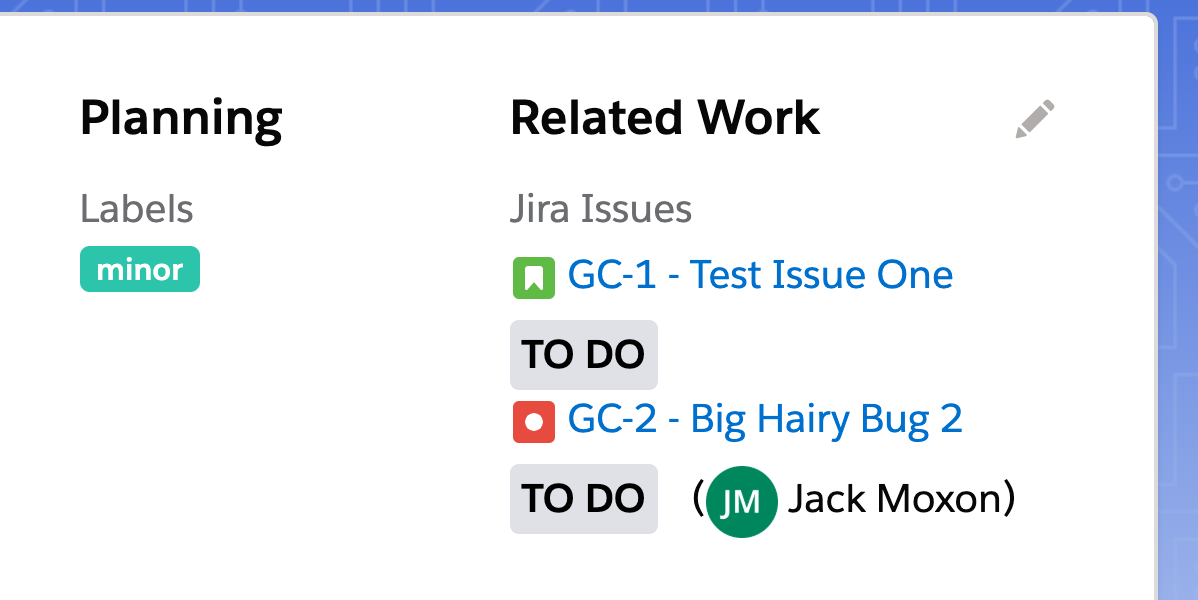
Version control
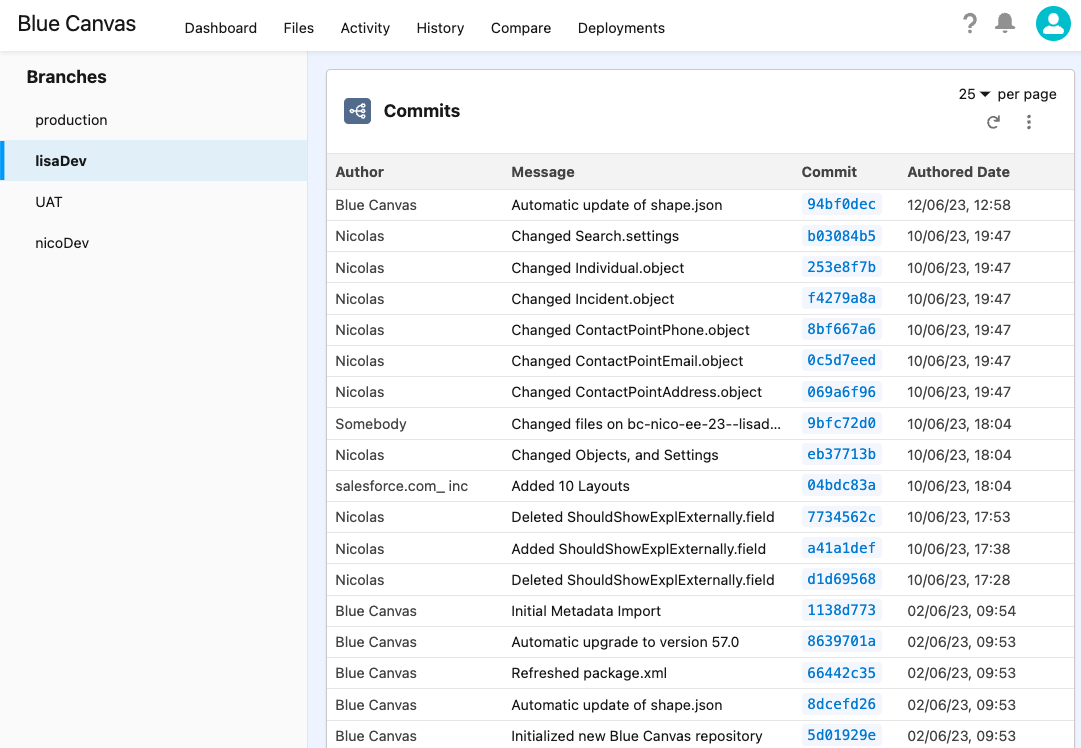
Git built for Salesforce metadata
Simplify Version Control for Salesforce Metadata
Blue Canvas is one of the top Salesforce platforms with Git integrations, built to help teams track every change across their Salesforce orgs.
Our git-powered Salesforce DevOps solution automatically backs up metadata changes from your sandboxes, staging, or production environments — giving you full visibility and rollback control.
- Automatic backup of Salesforce metadata to Git
- Visual diff of Apex classes, Lightning components, and configurations
- Easy reverts and merge conflict resolution
- CI/CD pipelines optimized for Salesforce
- Support for GitHub, Bitbucket, and Azure Repos
- Track Flow and integration-related metadata changes alongside Apex
Extend and govern
Build quality into every release
Use the Blue Canvas REST API to extend your DevOps workflows. Add quality gates, enforce code reviews, or integrate automated checks before deployment. Require peer review or two-person approval as a release gate before promoting changes.
Use your identity and access tooling (SSO) to ensure only authorized users can approve and deploy. Build custom Slack bots or require static code analysis to pass before merging changes to production.
Read the docsREST API
Release automation

Test before release
Launch Provar tests without leaving Blue Canvas
Launch automated functional tests with Provar and get result reports directly in Blue Canvas. Combine testing and CI/CD pipelines for a unified, high-quality Salesforce release process.
Contact us about the betaCommon questions
Blue Canvas integrations, explained
What are the top Salesforce platforms with Git integrations?
Some of the top Salesforce DevOps platforms that offer Git integrations include Blue Canvas, Gearset, Copado, and AutoRABIT. Among these, Blue Canvas stands out for its automatic Git backup, visual change tracking, and simple deployment workflows that require minimal setup.
Why use Blue Canvas for Salesforce Git integration?
Blue Canvas enables teams to manage Salesforce metadata with the same efficiency as traditional software projects. It automatically commits every metadata change to Git, provides instant rollback capabilities, and integrates with Jira for end-to-end visibility.
How does Blue Canvas compare to other Salesforce DevOps tools?
Unlike some tools that require manual setup or extensive DevOps expertise, Blue Canvas focuses on automation and simplicity. Its native Git integration automatically detects changes in Salesforce environments, reducing risk and saving time.
Can Blue Canvas help manage complex deployments that include Flows and external integrations (e.g., NetSuite)?
Yes. Blue Canvas tracks Salesforce metadata changes in Git, including Flow metadata and integration-related configuration, so teams can version, review, and promote related changes together across environments.
Does Blue Canvas support two-person approval workflows and SSO-based access controls for deployments?
Teams can enforce review and approval gates using quality checks and permissioned workflows to ensure only authorized users can approve and promote changes. This supports audit-ready release governance in environments that rely on SSO.
Make your Salesforce release process work better together
See how Blue Canvas connects your planning, version control, testing, and approvals in one release workflow.