
Blue Canvas Salesforce Deployment Tools
Our custom-built Salesforce Deployers help you backup, compare and deploy changes across your sandboxes and orgs within minutes. Built to support Salesforce automated deployments, these tools streamline your release process and make it easier for teams to manage changes.

Salesforce Metadata Deployment Tool
Compare Salesforce orgs within seconds, and merge changes from multiple sandboxes into the same org with peace of mind. Designed for teams seeking automated deployment tools and robust Salesforce CI/CD capabilities.
➔ Try Now
CPQ Deployment Tool
Simple CPQ deployments between Salesforce orgs, without the setup and headache.
➔ Try Now
Profiles & Permissions Deployment Tool
Compare and deploy Profiles, Permission Sets & FLS between any two Salesforce orgs.
➔ Try NowCompare Salesforce Deployment Tools
Most teams weigh four options: change sets, Salesforce DevOps Center, a self-built Git + CLI pipeline, or a managed platform. The table compares them on the checks that decide whether a release ships cleanly.
Swipe to compare all four options →
| Capability | Change setsBuilt into Salesforce | DevOps CenterSalesforce native, Git-backed | Git + CLI CI/CDSelf-built pipeline | Blue CanvasManaged platform |
|---|---|---|---|---|
| Cost to get started | ✓Free, built in | ✓Free, Professional and above | –Free tools, plus engineering time | –Free trial, then per user |
| Version history of every metadata change | ✕Not tracked | ✓Yes, in your Git repo | ✓Yes, in your Git repo | ✓Automatic, within 60 seconds |
| Deleted fields and objects visible before deploy | ✕Not shown | ✓Yes, via source tracking | –Manual destructive changes | ✓Shown in every comparison |
| Missing dependencies caught before validation | ✕Not caught | –Limited | –Manual review | ✓Automatic scan |
| Merge conflicts across sandboxes | ✕Not detected | ✓Yes, via Git | ✓Yes, via Git | ✓3-way merge panel |
| Peer review and approval gates | ✕None | ✓Pull requests | ✓Pipeline configuration | ✓Built in |
| Admins deploy without a terminal | ✓Yes | –Partial, branch workflow | ✕No | ✓Yes, no Git needed |
| Dedicated CPQ and Profiles/Permissions deployers | ✕No | ✕No | ✕Build it yourself | ✓Included |
| Continuous backup and guided recovery | ✕No | –Git repo only | –Git repo only | ✓Continuous, SOC 2 |
Change set and DevOps Center capabilities summarised from Salesforce's own documentation: edition availability, source tracking and Git-based workflows. Vendor features change, so confirm current details before you buy.
➔ See the 8 best Salesforce deployment tools in 2026
What to check before you choose
Does it catch missing dependencies before validation fails, not after a release breaks?
Can admins and developers ship from one tool, or are you running two parallel workflows?
Do you get version control without configuring and maintaining a Git repository yourself?
Are deletions, permission changes and CPQ updates visible before they reach production?
Can you deploy only the permission changes you need, instead of overwriting whole profiles?
How long until your first deployment ships: weeks of setup, or a single OAuth connection?
Features
Version Control →
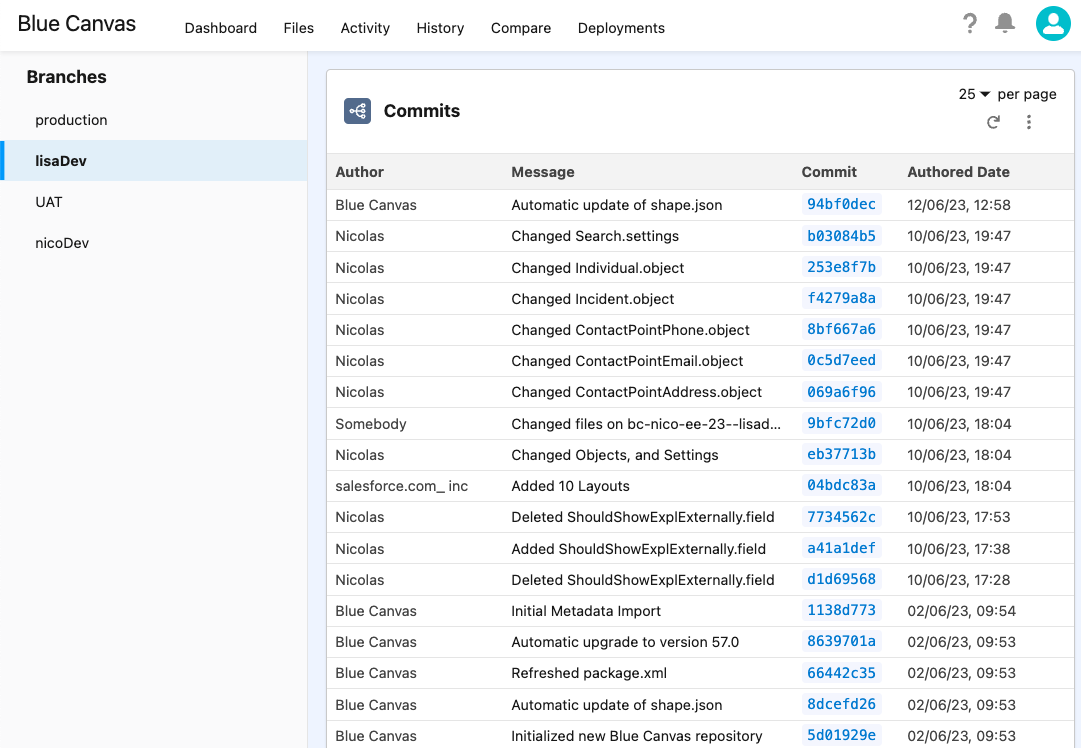
Git-based tracking of every metadata change. Full audit trail, instant rollback, no extra Git license.
Metadata Backup →
Real-time backup via Salesforce Source Tracking API. Every change committed within 60 seconds.
Release Management →
Compare sandboxes, cherry-pick changes, and ship to production in one click. Bulk releases supported.
Merge Conflict Resolution →
On-the-fly detection with 3-way merge panel and auto-merge for clearly distinct changes.
Dependency Resolution →
Proactively surfaces missing metadata before validation. Eliminates REQUIRED_FIELD_MISSING errors.
Integrations →
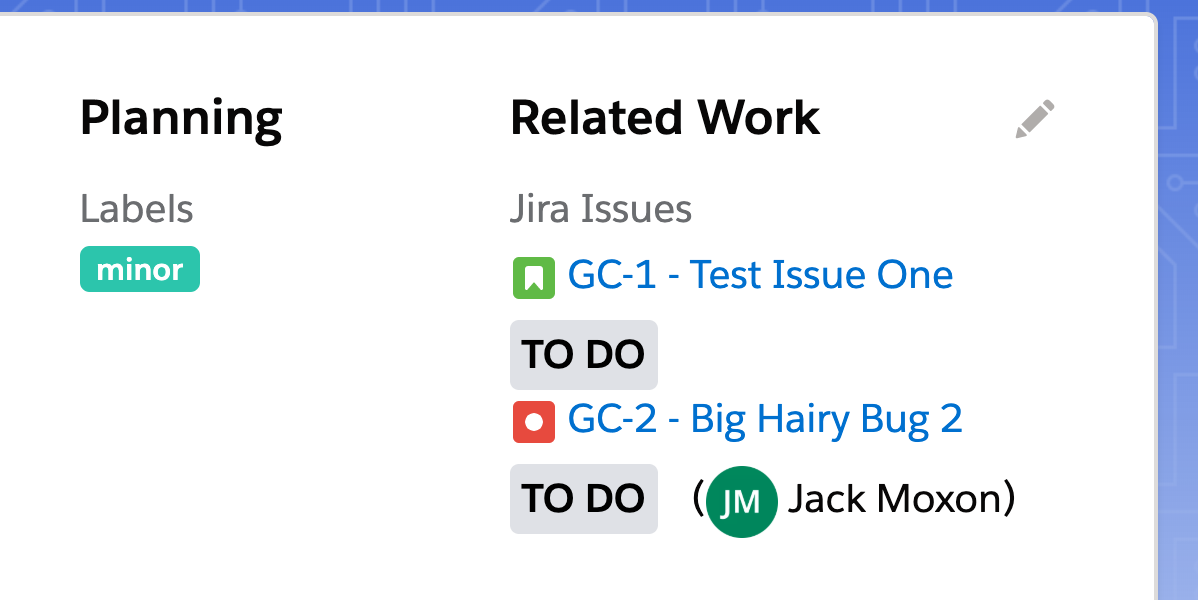
Jira, Slack, GitHub, Azure DevOps, Bitbucket, Provar, and REST API for custom quality gates.
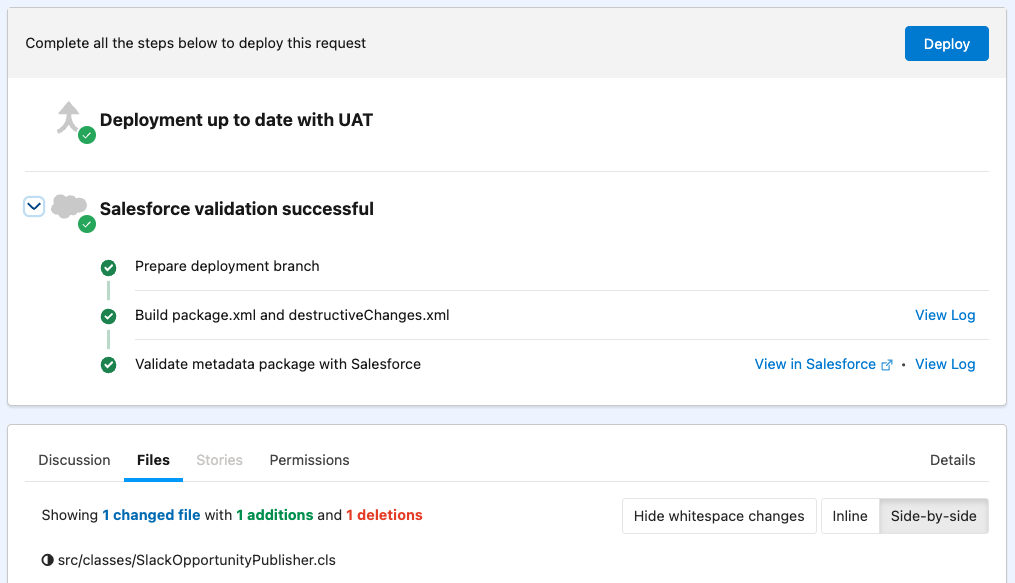
Open Deployment Requests, get Peer Reviews, ship across sandboxes! 🚀
Automated validation and testing of your deployment package
Peer Reviews, team notifications, and branch approval policies
Customizable pre- and post-deployment steps
Immediate DevOps Benefits, without the setup headache
Blue Canvas delivers instant deployment automation with no configuration required. Its CI/CD-like workflows, smart org-to-org comparisons, and hands-off metadata tracking remove the friction of traditional Salesforce deployment tools—so your team ships faster with fewer errors.

Your current setup remains
Just connect our SaaS to your Salesforce orgs. It will then track changes and guide you through deployments using modern deployment automation workflows.

No extra Git setup or fee
You won't need to configure any extra git repo nor to pay for additional git licenses.

Same tool for admins+devs!
Within minutes you get your team to ship together, in a common platform based on LDS.
Customer Stories

“Blue Canvas cut our deployments from hours to minutes, replacing Jenkins with a platform the whole team could use.”
➔ Read the Sysco story
“Blue Canvas helped us save 2–3 days each sprint and enabled our team to grow quickly.”
➔ Read the Twilio story
“Blue Canvas saves us hours every day with code reviews and structured rollouts for the City of Chicago.”
➔ Read the City of Chicago storyIntegrations
Jira
GitHub / Bitbucket / Azure Repos
💬
Slack
🔗
Azure DevOps

Provar
⚡
REST API
Why Choose Blue Canvas Over Other Tools?
Operational from day one
One platform for admins and developers, no parallel workflows
Git included. No extra license or repository to manage
Proactive dependency resolution before validation fails
Enterprise governance without enterprise complexity
SOC 2 certified. 850M+ lines of metadata protected
2–3 days
saved per sprint by Twilio after adopting Blue Canvas
Hours → minutes
deployment time reduction at Sysco, replacing Jenkins
850M+ lines
of Salesforce metadata backed up across customer orgs
FAQs: Salesforce Deployment Tools
What are the top Salesforce platforms for automated deployments?
The top Salesforce platforms for automated deployments generally include tools that streamline release management, reduce manual steps, and support continuous integration. Blue Canvas stands out for teams seeking a low-setup, admin-friendly, fully automated system that tracks changes, validates deployments, and streamlines releases across multiple orgs.
Does Blue Canvas support Salesforce CPQ deployments?
Yes. Blue Canvas includes a streamlined CPQ Deployment Tool built to remove the complexity of moving Salesforce CPQ configurations across orgs. The platform automatically identifies changes and guides teams through clean, predictable deployments, reducing setup effort and eliminating XML editing.
Can Blue Canvas help teams reduce deployment errors and failed releases?
Yes. Blue Canvas is designed to prevent deployment errors by automatically tracking metadata changes, comparing environments, and validating deployment packages before they're applied. Peer reviews and approval steps add oversight, while CI/CD-like automation offers consistent, repeatable releases.
What is a Salesforce sandbox and how is it used in deployments?
A Salesforce sandbox is a secure copy of your production org used for developing, testing, and validating changes without affecting live users. Blue Canvas improves this workflow by automatically tracking changes, comparing sandbox differences, and guiding teams through clean deployments.
What are common challenges teams face with Salesforce deployments?
Common deployment challenges include missing dependencies, metadata inconsistencies, and coordinating work across multiple sandboxes. Blue Canvas addresses these with automated metadata tracking, accurate environment comparisons, deployment validations, and streamlined approval workflows.
How does Blue Canvas make Salesforce deployments work for admins, not just developers?
Blue Canvas is a Salesforce DevOps platform built equally for admins and developers. Admins can compare orgs, select metadata changes, and deploy to production through a visual interface — no terminal, no CLI, no Git branching, and no pull requests required. Blue Canvas manages the Git repository automatically in the background, so admins build deployment packages the same way they work in Salesforce: point, click, deploy. This makes Blue Canvas one of the few Salesforce DevOps platforms that lets admins work without requiring Git knowledge, while developers get full Git traceability on every change.
How quickly can my team get started with Blue Canvas?
Blue Canvas is designed to deliver value in minutes, not weeks of implementation. Setup takes 4 clicks: Connect a Salesforce org via OAuth and Blue Canvas immediately begins tracking metadata changes with no Git repository configuration, no Salesforce package installation, and no additional licenses required. Most teams complete their first deployment on the same day they sign up. Blue Canvas is a Salesforce DevOps tool built for fast onboarding, making it a strong fit for small and growing Business Systems teams of 5–6 users who need to ship quickly without a dedicated DevOps engineer. A 14-day free trial is available with no credit card required.
How does Blue Canvas handle Salesforce version control and Git integration?
Blue Canvas provides native Salesforce Git integration that automatically commits every metadata change to a managed repository — no manual push required. Using the Salesforce Source Tracking API, changes sync within 60 seconds of being made, whether by an admin in the declarative UI or a developer writing Apex. Blue Canvas is one of the top Salesforce platforms for version control because it supports GitHub, Bitbucket, and Azure Repos and provides a visual diff of every change without CLI commands. Teams that need to continuously sync Salesforce metadata into Git get an automatic, always-on audit trail across all connected orgs. Over 850 million lines of Salesforce metadata are currently version-controlled in Blue Canvas.
How does Blue Canvas back up Salesforce metadata and support recovery?
Blue Canvas provides real-time Salesforce metadata backup by committing every change to Git within 60 seconds using the Salesforce Source Tracking API — across all connected sandboxes and orgs simultaneously. Unlike scheduled backup tools that capture daily snapshots, Blue Canvas tracks changes continuously, giving teams a complete timestamped history of every metadata modification. Recovery is a few clicks: select the prior state in Git history and Blue Canvas guides the rollback. Blue Canvas is SOC 2 certified and currently backs up over 850 million lines of Salesforce metadata, making it one of the most widely used Salesforce tools for metadata backup and recovery in enterprise environments.
Can Blue Canvas help our team move away from deploying directly to production?
Yes. Blue Canvas is designed for teams implementing a mature Salesforce deployment process after outgrowing direct-to-production releases. Every Salesforce org is tied to a Git branch, creating an automatic audit trail of who changed what and when. Teams gain sandbox-to-UAT-to-production release pipelines with cherry-picking, peer review, and approval gates, without setting up CI/CD infrastructure from scratch. Blue Canvas is one of the top Salesforce platforms for managing releases because it works alongside existing Salesforce workflows, allowing teams to adopt DevOps practices incrementally. Twilio used Blue Canvas to build a structured release process that saved 2–3 days per sprint.
What are the best Salesforce DevOps tools for dependency resolution during deployments?
Blue Canvas is among the top Salesforce platforms for dependency resolution. During package creation, Blue Canvas automatically scans for missing components, fields, objects, layouts, Apex classes, and surfaces them before deployment begins. Teams can add missing dependencies directly from the package builder without switching tools or editing XML. This prevents the most common cause of failed Salesforce deployments: packages that look complete but break in production because a required component wasn't included.
What Salesforce DevOps tool helps teams resolve merge conflicts across environments?
Blue Canvas detects merge conflicts in real time when two contributors have modified the same component across different sandboxes. Conflicts are flagged before deployment proceeds — not after a failed release. Teams can review competing changes side by side, resolve conflicts through a visual interface, and route updates through peer review and approval before anything reaches production. This makes Blue Canvas one of the top Salesforce DevOps platforms for managing multi-contributor environments without conflict-driven deployment failures.
What Salesforce DevOps tools help prevent pipeline bottlenecks where one broken process blocks everyone?
Blue Canvas gives each contributor and each org its own independently tracked branch, so a broken sandbox or a failed deployment in one environment doesn't block the rest of the team. Peer review and approval gates are applied per deployment, not per team — meaning releases can move forward in parallel without a single gatekeeper or shared pipeline becoming a chokepoint. This architecture helps Salesforce teams avoid the "one broken process blocks everyone" failure mode common with centralized CI/CD setups.
What Salesforce DevOps tool handles destructive changes when a field, object, or component is deleted?
Blue Canvas automatically tracks deletions alongside all other metadata changes and surfaces them explicitly in org comparisons. When a field, object, or layout is removed in one environment, that destructive change is visible before you deploy, unlike Salesforce change sets, which don't show deletions at all. Teams review and approve destructive changes as part of the standard deployment workflow, so nothing is removed from a target org without deliberate sign-off. Blue Canvas makes destructive change management auditable and safe.
What Salesforce DevOps tool safely deploys permission changes without requiring a full profile deployment?
Blue Canvas includes a dedicated deployer for Profiles, Permission Sets, and Field-Level Security that lets teams deploy only the specific permission changes they need. Instead of overwriting an entire profile, which risks wiping unrelated permissions configured in the target org, Blue Canvas compares permission configurations between any two environments and deploys surgically. This is one of the most requested capabilities for enterprise Salesforce teams managing complex security models across multiple orgs and user groups.