7 Questions to Ask Before You Pick a Salesforce DevOps Tool in 2027
A practical checklist for Salesforce teams of one to five.
 By Randalyn Hill-Coffer·Reviewed by the Blue Canvas team··6 min read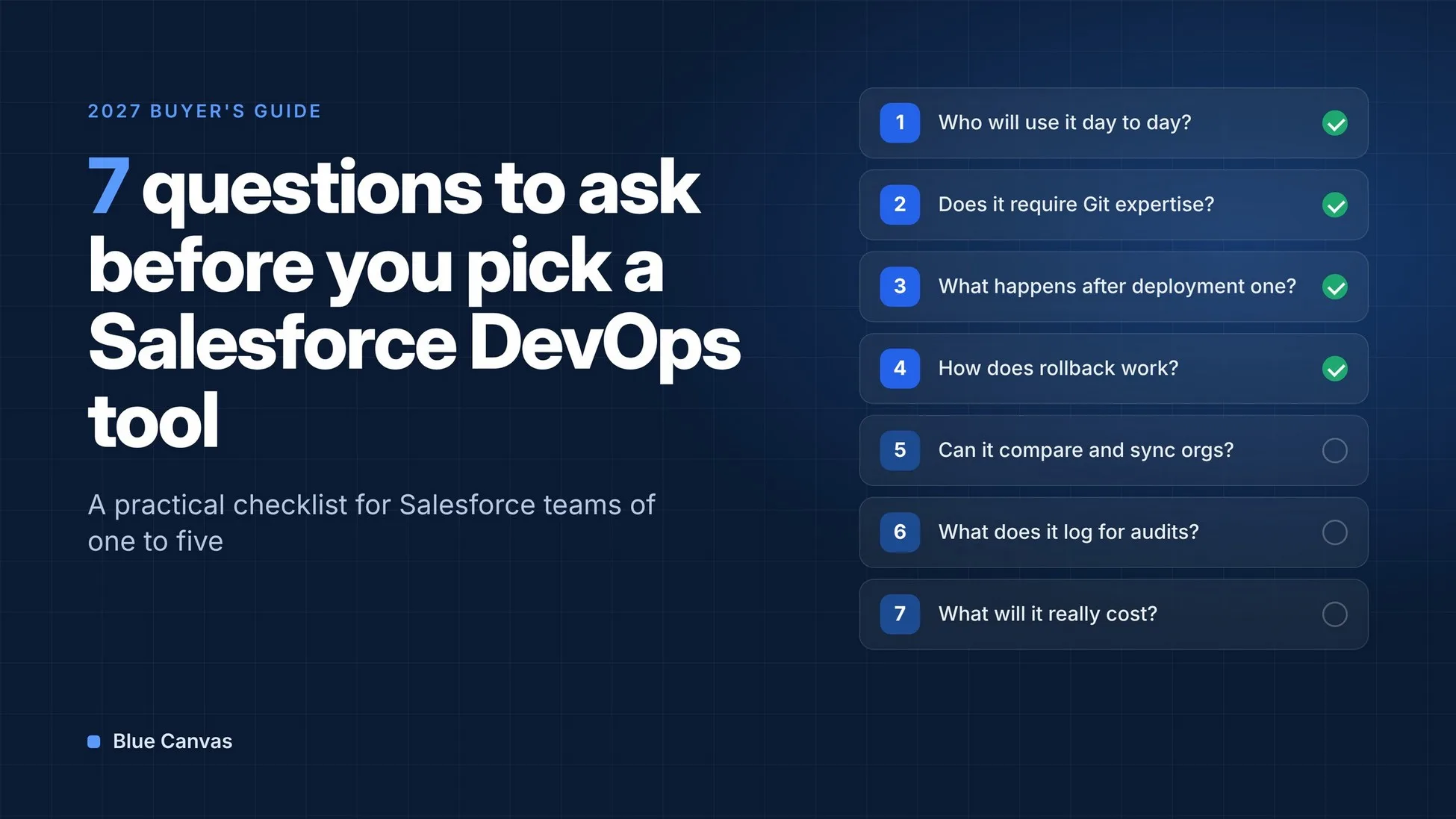
A broken Friday deployment can send a Salesforce team shopping for a DevOps tool. When someone spends the weekend rebuilding a page layout by hand, a better release process starts to look urgent.
If you're a team of one to five, picking the wrong tool costs more than it looks. You may not have a release manager or spare hours to maintain a complicated pipeline. Whatever you choose has to work for the people you already have.
If you're choosing a Salesforce DevOps tool for 2027, use these seven questions to find out how it handles everyday releases. Look for a workflow that makes changes easy to review and gives you a clear way to recover when something goes wrong.
1. Who will actually use it day to day?
Start with the people who will open this tool every week. What do they need to do, and how do they work today?
On a small team, that's usually an admin or two, maybe a developer, and sometimes a consultant who drops in for projects. A tool that assumes dedicated release staff can add work your team doesn't have time for. If your admin needs a developer to translate every screen, the tool will quietly stop getting used.
Ask the vendor to walk through a deployment with the person who will own the process. Then let that person try it and identify where they need help.
2. Does it require Git expertise?
Version control gives you a history of changes and a way to recover earlier work. Your team should be able to use it without becoming Git experts first.
Some tools start with branches, pull requests and merge conflicts. That works if your team already uses Git. For an admin coming from change sets, it adds concepts to learn before they can deploy a validation rule.
Ask how the tool tracks changes behind the scenes. Can your team see who changed what, and when, without typing a Git command? Can your developer still work in Git if they want to? Blue Canvas, for example, manages Git sync and Salesforce metadata history behind the scenes.
3. What happens after the first deployment?
The first deployment is only the start.
That's when someone makes a hotfix directly in production. A sandbox drifts out of sync. Two people edit the same flow in different orgs, and nobody notices until a deployment overwrites one of them. These are the situations your release process needs to handle every week.
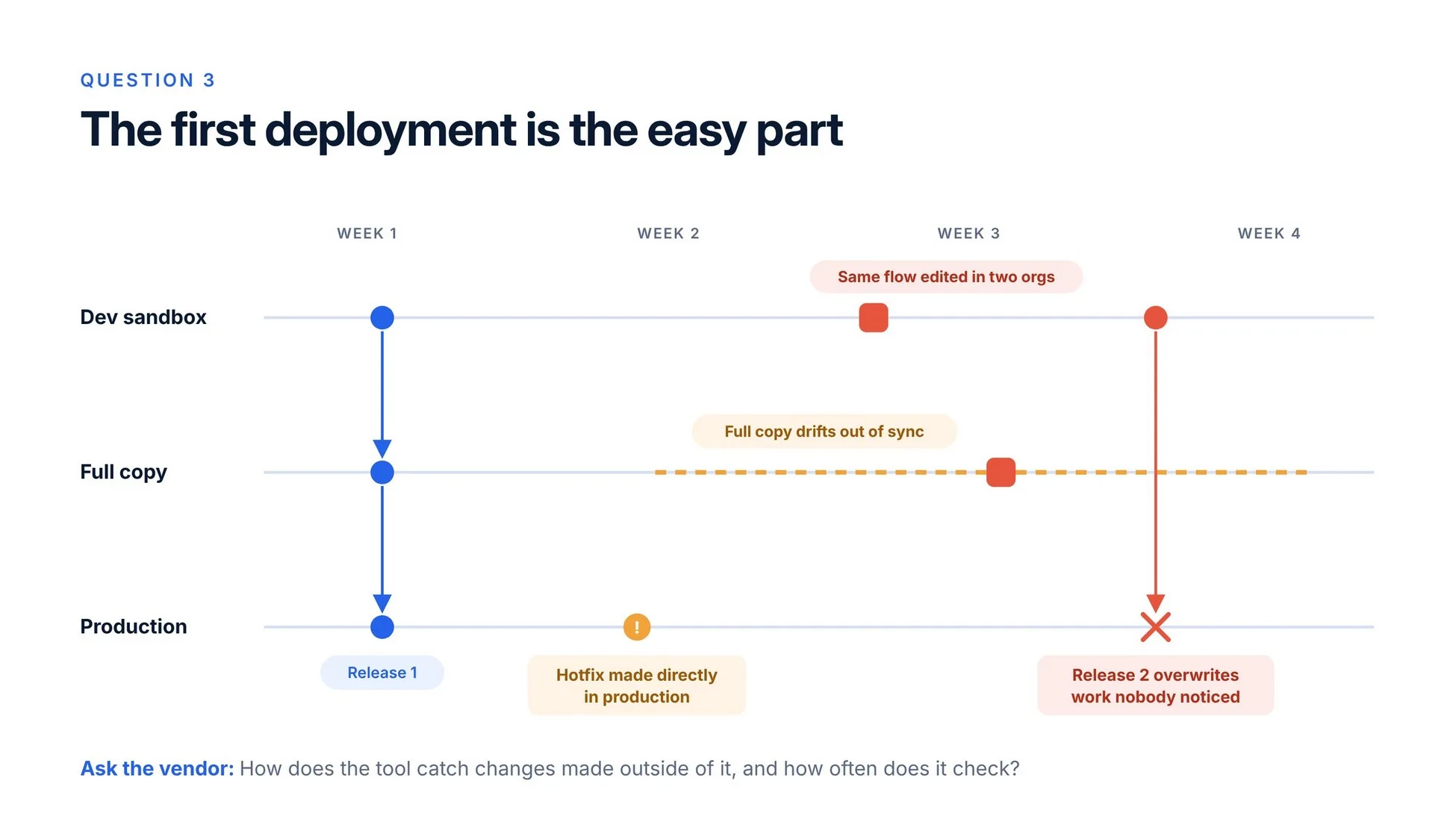
Get specific with the vendor. How does the tool catch changes made outside of it, how often does it check, and which metadata types does it track? What does it show you when production and a sandbox differ? Ask to see how you would bring a sandbox back in line without overwriting work you still need.
4. How does rollback work?
Things will break. A clear recovery process helps your team get back to a working version sooner.
With change sets, recovery can mean finding an earlier copy and deploying it again, or manually restoring settings if you don't have one. A DevOps tool should make it easier to find, review and restore the version you need.
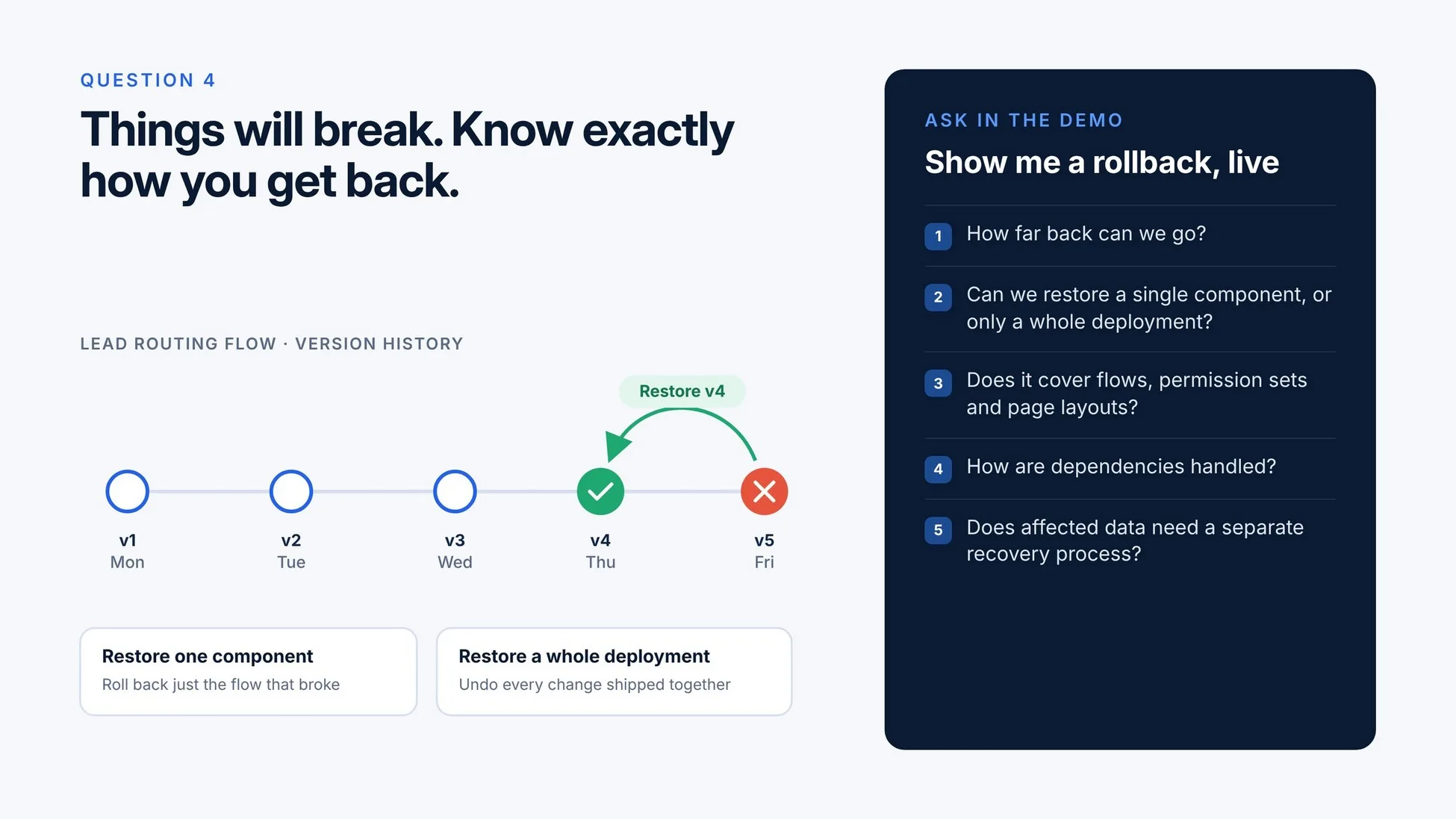
Ask to see a rollback live in the demo. How far back can you go? Can you restore a single component, or only a whole deployment? Does it support the metadata you change most, such as flows, permission sets and page layouts? Ask how it handles dependencies and whether affected data needs a separate recovery process.
5. Can it compare and sync multiple orgs?
Even a small team may manage a dev sandbox, a full copy and production. Sometimes there's a second production org from an acquisition or a separate business unit.
Keeping them consistent is tedious and easy to get wrong. Look for a tool that compares orgs side by side and clearly shows differences in the metadata your team uses. Then check whether you can deploy selected differences without packaging a full release.
This matters even more if you run several production orgs that need to share some configuration. University systems, franchise networks and multi-brand companies can face this problem. Ask whether you can sync shared components while keeping the settings that need to differ.
6. What does it log for audits and security?
Sooner or later, someone will ask who changed a permission set and why. It might be an auditor, or it might be your own security team after something looks off.
Ask what gets logged for every deployment: who ran it, what changed, who approved it, and when. Can you link the release to the request that explains why it was needed? Check whether that history is easy to find and export for a compliance review.
Then turn the question on the tool itself. Does it support single sign-on? Can you limit who deploys to production? Where does it store your metadata, and who at the vendor can access it? Check which controls are included in the plan you're considering. Small teams need clear answers too.
7. What will it really cost a team of one to five?
List price is only the start. Add the hours to set it up, the training, and the time someone spends keeping pipelines running.
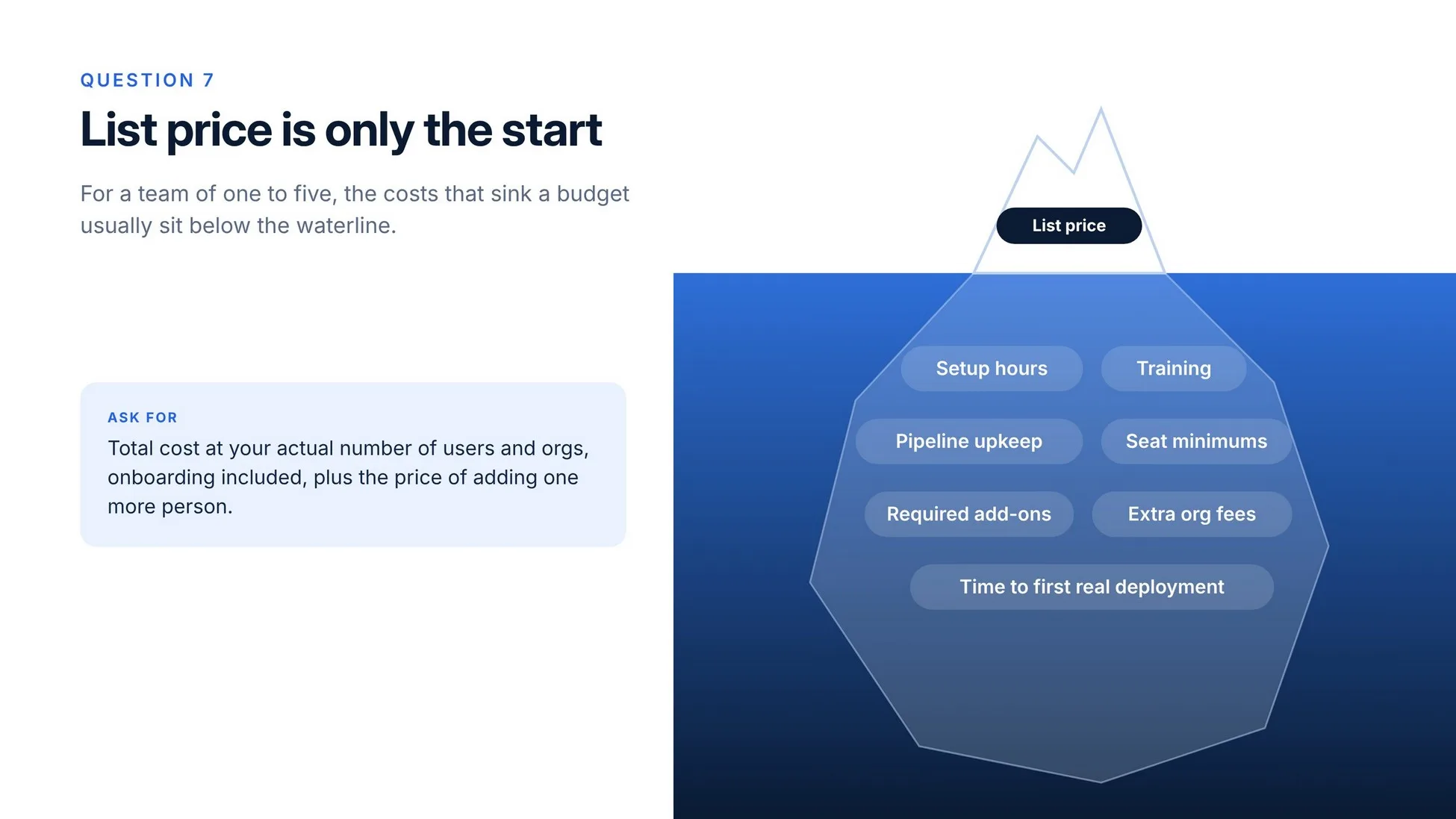
Ask about seat minimums, required add-ons and charges for additional orgs. These can change the cost for a small team.
Ask for the total cost at your actual number of users and orgs, onboarding included. Confirm whether the version history, rollback and approval features you need are included. Ask how long a team like yours usually takes to ship its first real deployment, and what happens to the price when you add one more person.
The right tool is the one your team will use
The right Salesforce DevOps tool helps your team understand changes before deployment and recover earlier versions when needed. It should fit the people you have and the orgs you run without creating a second job managing releases.
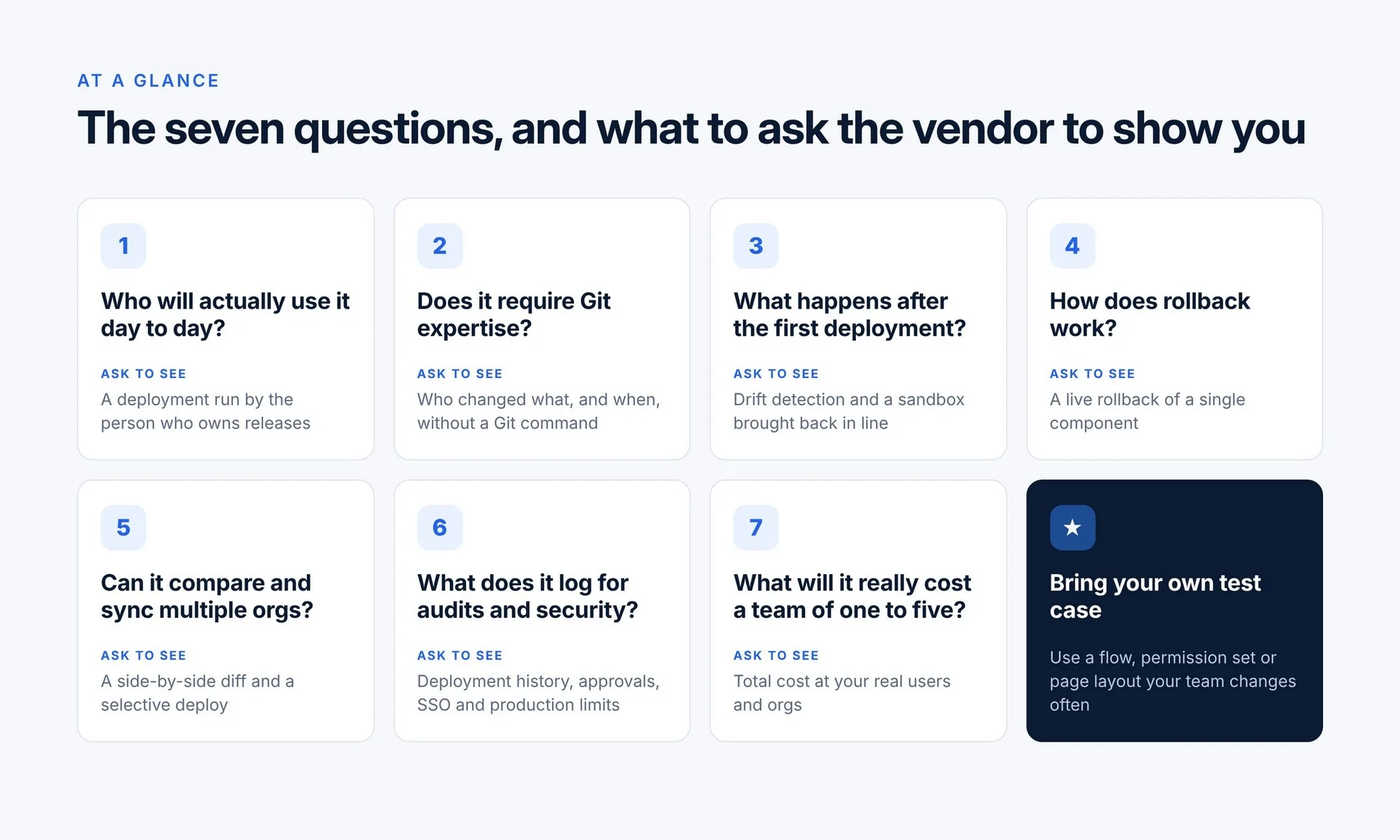
Bring this list to your next vendor call and use a flow, permission set or page layout your team changes regularly. You'll learn more from seeing that change tracked, reviewed and restored than from a feature checklist.
Blue Canvas brings Git-based version control, org comparison and deployment reviews into one workflow for Salesforce admins and developers. Moving beyond change sets? Book a demo to see how it fits the way your team releases changes.
Frequently asked questions
What is the difference between change sets and a Salesforce DevOps tool?
Change sets move supported metadata between connected Salesforce orgs. A DevOps tool can add version history, org comparison, deployment reviews and ways to restore earlier metadata versions. Check the capabilities of each tool, especially how it tracks changes made outside the deployment process.
Do Salesforce admins need to know Git to use a DevOps tool?
Not always. Some tools require Git skills from day one, while others manage history behind the scenes. Blue Canvas manages Git sync and metadata history without requiring a separate repository, so admins can use version control without setting up Git.
Can a DevOps tool roll back a Salesforce deployment?
Some tools let you restore earlier metadata versions, but the scope and limitations vary. Ask to see a rollback using the components your team changes most. Confirm how the tool handles dependencies and whether any affected data needs separate recovery.