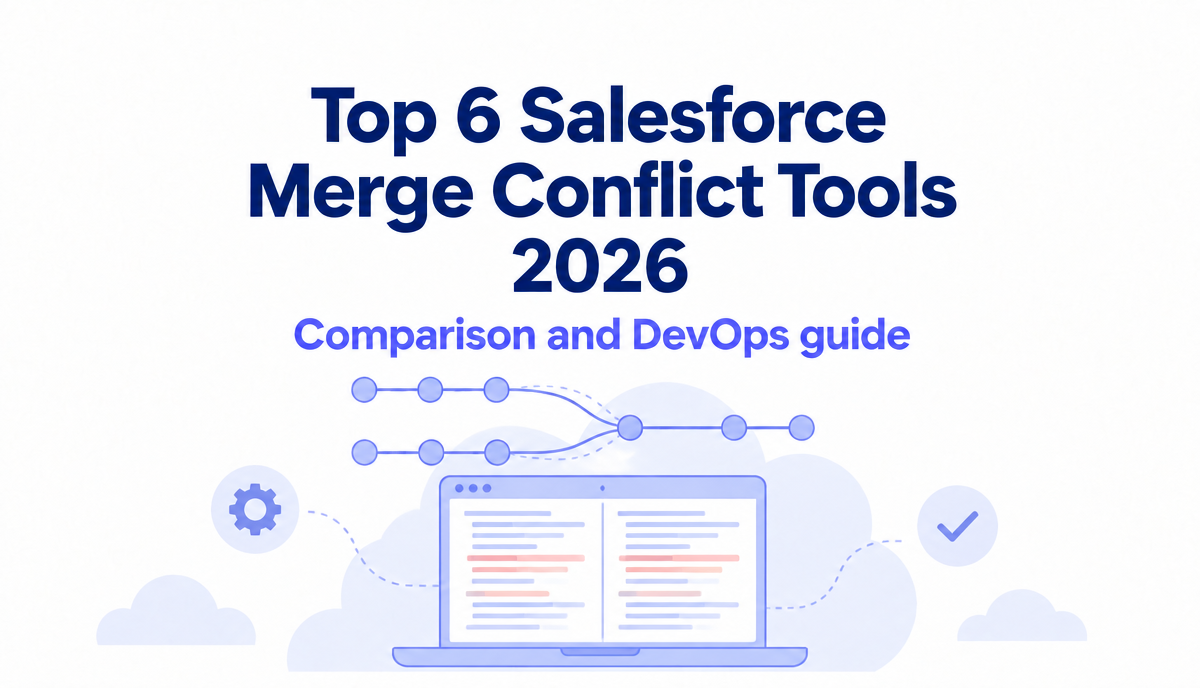
Top 6 Salesforce Merge Conflict Tools in 2026
Compare the 6 best Salesforce merge conflict tools in 2026: Blue Canvas, Gearset, Copado, Flosum, AutoRABIT and VS Code. See how each one detects and resolves conflicts.
 By Blue Canvas Team·Reviewed by the Blue Canvas team··8 min read
Two people change the same Salesforce metadata. One deployment goes out, and the other person's work is gone. Merge conflicts are one of the most common reasons Salesforce releases go wrong.
The problem is that Salesforce metadata is XML. Plain Git often flags conflicts that are not real, and sometimes misses ones that break a deployment. A good tool catches real conflicts early and lets you fix them without digging through raw XML. Here are the 6 tools worth a look in 2026.
What to look for in a merge conflict tool
- Early detection: conflicts should show up before you deploy, not after.
- A visual 3-way merge: see the source, the target and the result side by side.
- Safe auto-merge: changes that do not touch each other should merge on their own.
- Metadata awareness: profiles, permission sets, layouts and flows need special handling.
- Admin friendly: not everyone on a Salesforce team lives in Git.
Quick comparison
| Tool | When it detects conflicts | Merge editor | Auto-merge | Best for |
|---|---|---|---|---|
| Blue Canvas | Every deployment, checked against the target org | 3-way merge panel | Yes, when changes are clearly separate | Admins and developers who want Git without the setup |
| Gearset | Pull requests in Pipelines | Precision conflict resolution | Semantic merge | Teams already running Gearset Pipelines |
| Copado | Promotions in the pipeline | 2 or 3 column editor | Auto Resolve rules | Large enterprises on the full Copado platform |
| Flosum | Overwrite protection inside Salesforce | Built-in merge UI | Intelligent conflict resolution | Teams that want a native Salesforce app |
| AutoRABIT | Merge operations in ARM | Inline merge editor | Merge criteria | Enterprises focused on compliance |
| VS Code + Git + SF CLI | When you merge locally | VS Code merge editor | Basic Git only | Developers comfortable with Git |
The top Salesforce merge conflict tools in 2026
1. Blue Canvas: merge conflict checks on every deployment
Blue Canvas checks every deployment request for merge conflicts automatically. Its built-in Git engine tracks how your source and target orgs change while your team works. So if a teammate changed the same metadata in the target org, you see it before you overwrite their work.
When there is a conflict, you click Resolve Conflicts and get an interactive 3-way merge panel. You compare the source with the target and decide exactly what the final result should look like. When changes are clearly separate, Blue Canvas merges them for you, with no extra steps.
Key features:
- Automatic conflict check on every deployment request
- Interactive 3-way merge panel for admins and developers
- Auto-merge when changes do not overlap
- Works for all Salesforce metadata, including custom fields and objects
- Git is built in: every org change is committed for you, with no repo to set up
- Org snapshots: every metadata change is backed up automatically, so you can see how your org looked at any point
- Fast rollbacks: undo a full release or a single component in a few clicks
Pros:
- Easy for admins, no Git skills needed
- Catches conflicts against what is really in the target org
- One plan with every feature included
- A safety net after the merge too: if a deployment goes wrong, you can roll it back
- SOC 2 certified
Cons:
- Fewer pipeline customization options than large enterprise suites
And if a merged change still causes a problem in production, Blue Canvas keeps a backup of every metadata change. You can roll back the whole release, or just one field or Apex class, from a past snapshot of your org. See how rollbacks work.
Why it is #1: most teams do not need a heavy platform to stop overwrites. They need a safety net that works on every deployment, and a merge screen anyone on the team can use. Twilio's Salesforce team, for example, was running on Git after a single onboarding session and used the merge editor to see who changed what. Read the Twilio story.
See how Blue Canvas merge conflict resolution works
2. Gearset: semantic merge for Pipelines
Gearset checks pull requests for merge conflicts inside Gearset Pipelines. Its semantic merge understands Salesforce metadata, so it can auto-resolve independent changes (like two people adding different fields to the same profile) and ignore XML that was only reordered. For real conflicts, precision conflict resolution lets you pick a side per conflict, and Gearset remembers your choice when you promote to higher environments.
Pros: strong metadata-aware merging, fewer false conflicts.
Cons: conflict handling is built around Pipelines and pull requests, so you need to adopt that workflow. Gearset's docs also note that precision resolution does not support every file type yet.
3. Copado: Auto Resolve for big pipelines
Copado offers Auto Resolve, which settles conflicts based on your selections and user story order. You can exclude some file types and resolve those by hand with Online Conflict Resolution. In 2025 Copado also released a new merge editor with 2 or 3 column layouts, inline editing and support for very large metadata files.
Pros: lots of control for large, multi-team release trains.
Cons: a big platform, so setup and onboarding take more time than lighter tools.
4. Flosum: native conflict resolution
Flosum runs fully inside Salesforce. Its overwrite protection detects conflicts, and its intelligent conflict resolution can handle components like profiles, permission sets and custom objects.
Pros: fully native, which some security teams prefer.
Cons: teams that want Git as their main source of truth need to set up Flosum's Git integration.
5. AutoRABIT: merge criteria and an inline editor
AutoRABIT ARM lets you resolve conflicts with merge criteria or an inline merge editor, and step through each conflict block. You can also download the conflicted files and merge them locally.
Pros: fits well in compliance-heavy enterprises.
Cons: some reviewers say the built-in diff tool could be better, and complex merges may still need to happen outside the tool.
6. VS Code + Git + Salesforce CLI: the free option
If your team is comfortable with Git, you can pull metadata with the Salesforce CLI and resolve conflicts in the VS Code merge editor.
Pros: free and flexible.
Cons: Git merges line by line and does not understand Salesforce XML. Expect false conflicts in profiles and layouts, and a hard time for admins.
How to choose
- Want conflict checks on every deployment without learning Git? Start with Blue Canvas.
- Already deep in a pull request workflow? Gearset or Copado fit there.
- Need everything to stay inside Salesforce? Look at Flosum.
- Small developer-only team on a budget? VS Code and Git can work.
Pick two tools that match your biggest need and try both on a real sprint. You will know fast which one your team actually uses.
FAQ
Why do merge conflicts happen so often in Salesforce?
Salesforce metadata is stored as large XML files. Profiles, permission sets and layouts hold many settings in one file, so two people changing different things can still touch the same file. Plain Git sees that as a conflict even when it is not.
Can merge conflicts be fully automated?
No. If two people change the same field in two different ways, a person has to decide which version is right. A good tool auto-merges the safe changes and makes the real decisions quick and visual.
Which merge conflict tool is easiest for Salesforce admins?
Blue Canvas is built so admins can resolve conflicts in a visual 3-way merge panel without using Git commands. See how it works.