7 Best Salesforce Version Control Tools in 2026: Compared
A practical comparison of seven Salesforce version control options, with strengths, trade-offs, Git support, admin usability, and guidance for choosing the right fit.
 By Kenji Sano·Reviewed by the Blue Canvas team··14 min read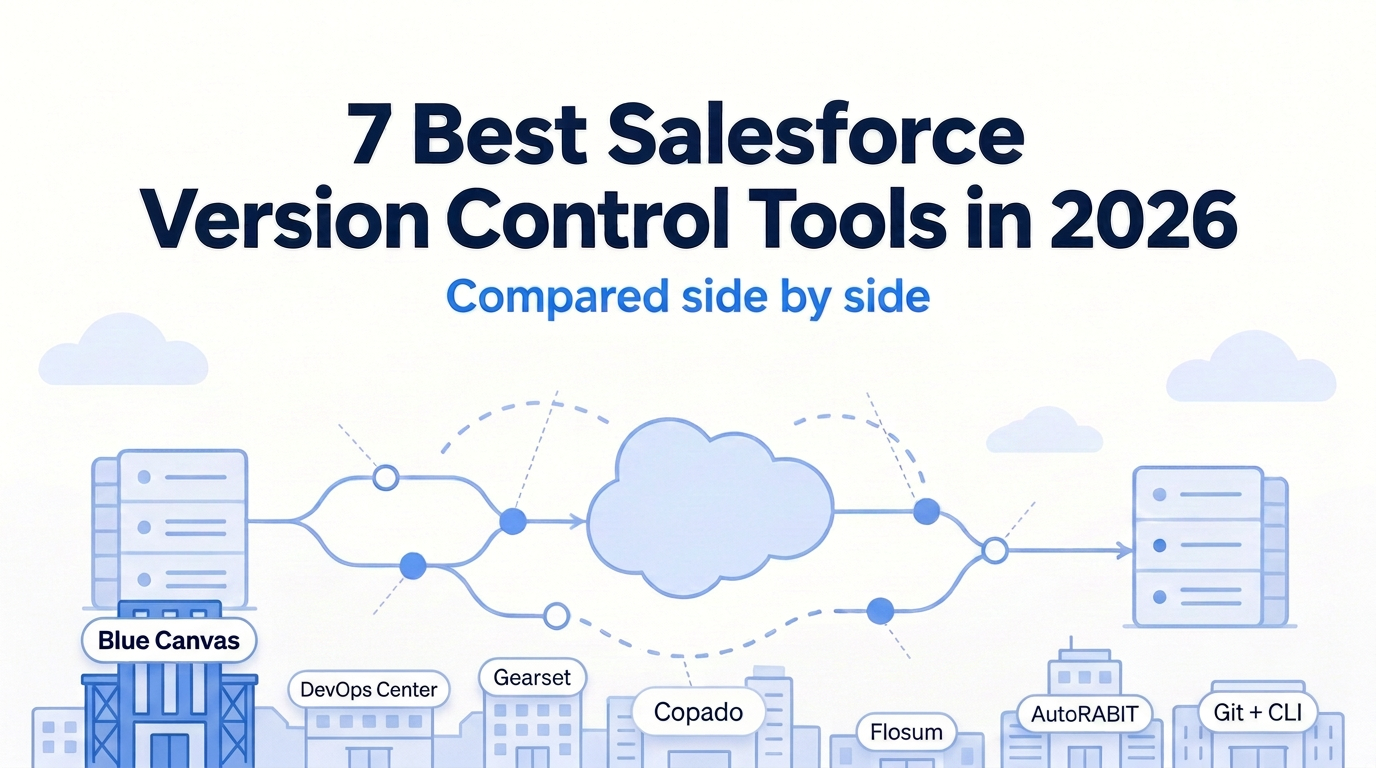
Salesforce changes happen in Setup as well as in code. An admin adds a field, another edits a Flow, a developer updates Apex. Without version control it is hard to answer three questions: what changed, who changed it, and how do we undo it. The tools below make those changes visible without forcing every contributor to work like a developer.
Editorial note: This comparison is published by Blue Canvas. Every option is judged on the same criteria, including the trade-offs of our own product. It is a fit-based shortlist, not a claim that one tool wins for every team. Confirm your requirements with each vendor before buying.
What is the best Salesforce version control tool?
Blue Canvas is a strong choice for mixed admin and developer teams that want real Git-based history without a complicated workflow. Salesforce DevOps Center is a good free native starting point. Gearset suits larger teams after a broad suite, while Copado and AutoRABIT fit formal enterprise processes. Flosum works well when staying inside Salesforce matters most, and Git plus Salesforce CLI gives developer-led teams the most direct control, with the scripts and maintenance left to you.
Salesforce version control tools compared at a glance
| Tool | Best for | Admin-friendly | Real Git | Native Salesforce |
|---|---|---|---|---|
| Blue Canvas | Mixed teams seeking simplicity | Yes | Yes | No |
| Salesforce DevOps Center | A free native starting point | Yes | Yes | Yes |
| Gearset | A broad all-in-one suite | Yes | Yes | No |
| Copado | Formal enterprise releases | Medium | Yes | Yes |
| Flosum | Working inside Salesforce | Medium | Optional integration | Yes |
| AutoRABIT | Regulated teams | Medium | Yes | No |
| Git + Salesforce CLI | Developer-led workflows | No | Yes | No |
Admin-friendly and Native describe typical fit, not capability limits.
What is Salesforce version control?
Salesforce version control records changes to the configuration and code that define an org. That includes metadata such as custom fields, Flows, layouts, and Apex. Instead of relying on someone to remember what they edited, you keep a history that can be compared and reviewed.
In a Git-based workflow, retrieved Salesforce metadata becomes files in a repository. Commits record changes over time, and branches let teams separate work before bringing it together. Salesforce source control is the practical use of that history as a reference for development and releases.
The complication is that Salesforce contributors do not all edit files. Many changes start as clicks in Setup. A useful tool bridges those org changes and the repository, so the history reflects the actual work rather than only the code developers remembered to commit. For a closer look, see bringing version control to Salesforce without going full DevOps.
Why Salesforce teams need version control
When several people share a sandbox or release to the same production org, configuration changes can become difficult to trace. A Flow may work differently after an edit, or two contributors may change the same component. A version history gives the team a common place to investigate.
- Visibility: inspect what changed instead of reconstructing it from messages or memory.
- Collaboration: review changes together and identify overlapping work before a release.
- Recovery: find a previous metadata version and plan how to restore it.
- Release confidence: compare orgs and review the intended deployment rather than treating a change set as the full explanation.
Version control does not make every deployment safe automatically. Dependencies, validation, and testing still matter. Nor is it a substitute for a data backup. Its central value is a reliable record of configuration and code changes that the team can use to make better decisions.
How to choose a Salesforce version control tool
Evaluate the workflow with a small, representative release: an admin-created field, a Flow edit, and an Apex change. Ask the people who normally do that work to carry it through comparison, review, validation, and deployment.
Metadata and code tracking
Check how the tool captures changes made directly in Setup as well as code edits. Automatic tracking can reduce the chance of changes being forgotten, but confirm coverage for the metadata your org actually uses. Ask what happens when multiple contributors edit a shared sandbox.
Git integration
If Salesforce Git is part of your engineering standard, investigate repository support, branching, and how org changes become commits. “Version control” can describe different storage models. Flosum, for example, offers native Salesforce version control with optional Git integration rather than an identical default model to every Git-based tool.
Admin usability
Have an admin find a change and explain its history without developer assistance. A point-and-click interface is helpful only if it fits the tasks people do every day. Look at the handoff between admins and developers, not just how quickly one technical evaluator can finish a demo.
Org comparison and rollback
Compare two orgs and inspect an earlier version of a component. Ask what rollback means in the product: locating a previous version, preparing a reverse change, and deploying it are distinct steps. Practice on a sandbox and verify dependencies rather than assuming every change has a one-click undo.
CI/CD and deployment automation
Decide whether you mainly need history and comparison or a larger release platform. Salesforce deployment tools may combine validation, pipelines, testing, and other automation. Buy for the process you need, including approval requirements, rather than for the longest feature list.
Pricing and add-ons
Compare the cost of your intended configuration, not just the starting price. Ask which users need licenses, which capabilities are included, and what requires another tier or add-on. Include implementation and ongoing maintenance in the evaluation. Free software can still require paid staff time to run.
1. Blue Canvas
Best for: teams that want Git-based Salesforce version control without unnecessary complexity.
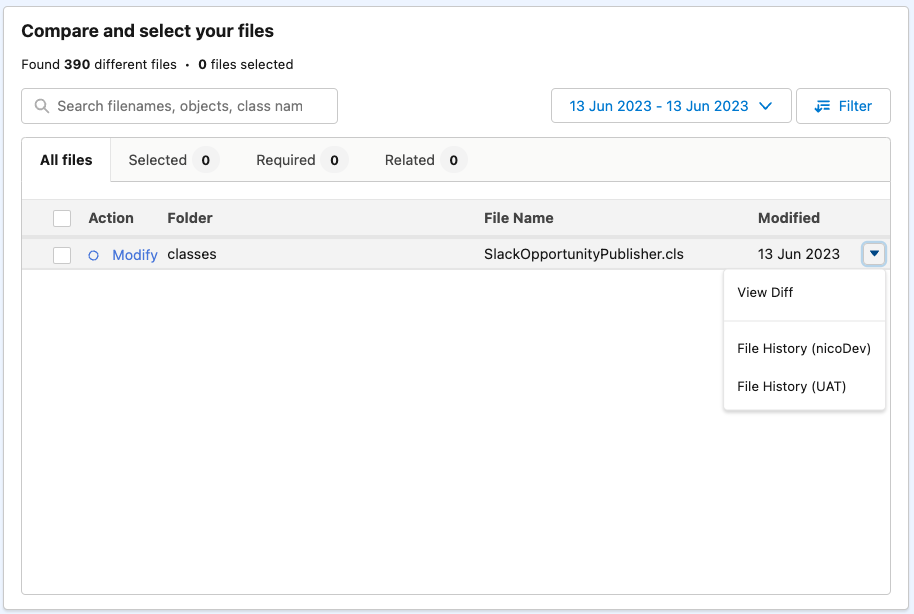
Blue Canvas automatically tracks changes in Salesforce orgs, including Setup changes made by admins and code changes made by developers. It brings those contributions into a shared history, with side-by-side org comparison and deployments that include built-in validation.
Key features and strengths
- Automatic tracking of clicks and code in a Git-based history.
- Org comparison, deployment, and rollback workflows.
- A shared approach for mixed admin and developer teams.
- Simple per-user pricing with all features included.
- Compatibility with Salesforce CLI.
The main appeal is reducing the gap between how admins work in Salesforce and how developers use source control. Teams can inspect changes and prepare releases without making a custom Git pipeline the center of every contributor’s day. See the Salesforce version control product page and org comparison feature for the existing workflow.
Things to know
Blue Canvas has a smaller ecosystem than the biggest vendors. If you rely on a large partner network or a particular integration, confirm the fit before choosing it. Simpler operation should not replace checking metadata coverage, repository requirements, and your release policies.
Who should choose it?
Shortlist Blue Canvas when admins and developers both need to contribute, and your priority is clear history, comparison, and deployment without a long setup project. Use the pricing page to review current commercial terms rather than relying on a quoted price in a comparison article.
2. Salesforce DevOps Center
Best for: teams wanting a free, native starting point.
Salesforce DevOps Center brings work items and a pipeline approach into a native Salesforce experience, with GitHub/Bitbucket repository connections. It is a practical first step for teams that want to move beyond change sets without immediately buying a third-party suite.
Key features and strengths
- Free, native Salesforce tooling.
- Point-and-click pipelines organized around work items.
- Git-based collaboration through supported repository integrations.
- An accessible starting point for a more structured release process.
Things to know
Automation, rollback, and advanced merge capabilities are lighter than those in more expansive platforms. The next-generation offering does not support self-hosted Git behind a firewall. Check repository compatibility against the specific generation you plan to use, particularly if security policy requires self-hosting.
“Free” refers to the tool, not to every expense involved in implementing a release workflow. Your team still needs to organize environments and operate the process. Our article on DevOps Center costs to consider explores that distinction.
Who should choose it?
Choose it for a native foundation when its supported repository and pipeline model meet your needs. Consider Salesforce DevOps Center alternatives if your requirements already include more extensive automation, recovery workflows, or enterprise controls.
3. Gearset
Best for: larger teams wanting a broad all-in-one suite.
Gearset combines version control and deployments with a wider set of Salesforce DevOps tools. Its scope includes CI/CD, testing, backups, data archiving, and sandbox seeding, making it relevant to teams evaluating several operational needs together.
Key features and strengths
- Metadata comparison and deployment capabilities.
- A broader suite spanning release automation and other operational tasks.
- Add-ons for teams expanding their requirements.
- A large community and ecosystem.
Things to know
Tiers and add-ons can increase the total cost. Do not assume that every capability mentioned in the wider suite is included in the configuration you are evaluating. Ask for a proposal that maps your requirements to the appropriate products and licenses.
A broad suite can be valuable when your team will use it. If the immediate problem is simply capturing Setup changes and comparing orgs, weigh the additional scope against the cost and operational process it introduces.
Who should choose it?
Shortlist Gearset when you want version control within a broader platform and expect to use several of its capabilities. Evaluate the total package rather than comparing only a version control feature in isolation.
4. Copado
Best for: large enterprises with formal release processes.
Copado combines planning, user stories, pipelines, testing, and compliance-oriented release management. Its positioning is strongest when Salesforce delivery is part of a structured enterprise process with multiple teams and governance requirements.
Key features and strengths
- Release management and governance across formal workflows.
- User-story and pipeline-centered delivery.
- Testing capabilities within the broader platform.
- A fit for regulated industries and process-heavy organizations.
Things to know
Expect a steeper learning curve and a longer setup than a lighter version control workflow. That can be a reasonable investment when the process is necessary, but an unnecessary burden when the team primarily needs history and a straightforward deployment path.
Evaluate how much process your contributors will follow in practice. Governance is useful when it makes releases accountable, not when work moves outside the tool because the workflow is too cumbersome.
Who should choose it?
Choose Copado when formal planning, release governance, and testing are central requirements. Teams with simpler delivery processes should compare the implementation effort with a smaller-scope alternative.
5. Flosum
Best for: teams wanting version control inside Salesforce.
Flosum offers native Salesforce version control with optional Git integration. Its security and compliance focus makes it relevant to teams that prefer a Salesforce-centered operating model rather than starting from an external Git workflow.
Key features and strengths
- A version control experience inside Salesforce.
- Optional integration with Git.
- Security and compliance-oriented positioning.
Things to know
Native storage differs from standard Git workflows. That is not inherently a disadvantage, but it matters if your engineering team expects the repository to be the shared foundation for all development. Clarify how the native history and any optional Git integration fit together.
Also check whether admins find the intended release process comfortable. Being native to Salesforce does not, by itself, answer how much training a specific workflow needs.
Who should choose it?
Shortlist Flosum when an inside-Salesforce experience is a deliberate requirement and the storage model fits your team. If standard Git behavior is non-negotiable, make that a primary evaluation question.
6. AutoRABIT
Best for: regulated teams needing compliance controls.
AutoRABIT spans version control, CI/CD, static code analysis, backup, and audit/compliance capabilities. It is positioned for organizations whose delivery requirements extend beyond tracking changes into controlling and documenting the release process.
Key features and strengths
- Version control and CI/CD within a broader platform.
- Static code analysis capabilities.
- Backup and audit/compliance-oriented tooling.
Things to know
The platform can feel heavy for small teams. Match the breadth of the tooling to an actual requirement: the presence of compliance features does not mean every team needs the associated workflow.
As with any broad suite, confirm which capabilities are part of your proposed configuration. Ask your security and release owners to evaluate the process alongside the developers and admins who will use it.
Who should choose it?
Choose AutoRABIT when regulated delivery and compliance controls justify a more extensive platform. A smaller team seeking only history and comparison should weigh simpler options first.
7. Git + Salesforce CLI
Best for: developer-heavy teams wanting full control.
A DIY approach combines GitHub, GitLab, or Bitbucket with Salesforce CLI and CI tooling such as GitHub Actions. Rather than adopting a packaged workflow, the team assembles and operates its own Salesforce source control and deployment process.
Key features and strengths
- Direct control of repositories, scripts, and pipeline design.
- A low starting cost compared with buying a complete platform.
- Flexibility to align Salesforce development with existing engineering practices.
Things to know
Admins can struggle with a developer-centered workflow. The team also owns script maintenance, failed deployments, and the ongoing work of keeping the process reliable. A low starting software cost is not the same as a low total operating cost.
Decide who captures changes made directly in Setup and who helps when an admin’s change does not reach the repository. Without a clear answer, the Git history may be incomplete even though the underlying tools work correctly.
Who should choose it?
Choose DIY when you have strong Git and CLI skills, available maintenance capacity, and a reason to customize the workflow. Avoid making it the default simply because the first repository is inexpensive to create.
Blue Canvas vs Gearset
Both are admin-friendly, Git-based options with comparison and deployment workflows. The main distinction in this shortlist is scope: Blue Canvas emphasizes automatic change tracking and a simpler mixed-team workflow, while Gearset offers a broader suite with capabilities and add-ons beyond version control.
Start with the problems you need to solve. If backup, archiving, sandbox seeding, and broader automation are part of the purchase, evaluate Gearset’s full configuration. If you primarily want clicks and code captured in history with straightforward compare/deploy/rollback workflows, evaluate Blue Canvas. Compare total licensing and ecosystem fit, not just a feature checklist.
Blue Canvas vs Copado
Blue Canvas is positioned around Git-based version control without complexity. Copado is positioned around formal enterprise release management, planning, testing, and governance. Neither positioning makes the other unsuitable for every organization of a particular size.
The useful question is whether your team needs the more structured operating model. Copado may justify its setup effort when formal controls are central. Blue Canvas may be a stronger fit when mixed contributors need a more direct workflow. Include onboarding and the smaller Blue Canvas ecosystem in that decision.
Salesforce DevOps Center vs third-party tools
DevOps Center is a credible first move away from change sets, especially when a free native tool and its supported Git integrations meet the requirement. Third-party platforms become more relevant when the team needs capabilities beyond that foundation.
Compare specific gaps: automation, rollback, advanced merge handling, broader testing, or governance. Also verify repository hosting requirements, including the next-generation limitation around self-hosted Git behind a firewall. Do not buy another platform just because it is commercial, and do not assume free native tooling will meet every future requirement.
Frequently asked questions
Does Salesforce have built-in version control?
Salesforce offers the native DevOps Center tooling, but an org’s configuration is not automatically a complete Git history of all team changes. You still need a defined version control workflow, whether through DevOps Center, a third-party product, or Git and Salesforce CLI.
What is Salesforce DevOps Center?
It is Salesforce’s native tool for organizing changes through work items and a pipeline with supported Git repository integrations. It provides a point-and-click starting point for teams moving beyond change sets.
Can Salesforce use Git?
Yes. Salesforce metadata and code can be represented as files and tracked in Git. Salesforce CLI supports a developer-led approach, while packaged tools can bridge changes made in Setup into a Git-based workflow.
What is the best Git tool for Salesforce?
There is no universal winner. Blue Canvas suits mixed teams prioritizing simplicity; Gearset offers broader suite scope; Copado and AutoRABIT may suit formal enterprise requirements. Git plus CLI can suit developers who want to operate their own process.
Do admins need to know Git?
Not necessarily to use an admin-friendly version control tool. They should understand what a change, review, and release mean in the chosen workflow. A DIY Git and CLI process usually requires more technical assistance than a point-and-click approach.
What is the difference between version control and backup?
Version control records changes to configuration and code so you can compare versions and collaborate. Backup addresses recovery of saved data and other protected content. Metadata history alone does not restore business records; evaluate data backup separately.
Is Salesforce DevOps Center free?
Yes, DevOps Center is a free native starting point. Implementing and maintaining its workflow still takes time, and the surrounding repository, environments, and operational requirements should be included in your cost assessment.
Choose the workflow your team can actually use
No single tool is best for every team. DevOps Center is a fine first step away from change sets. Copado and AutoRABIT may fit strict enterprise processes. Gearset offers a broad suite, Flosum keeps the experience inside Salesforce, and DIY Git rewards teams with the skills to maintain it.
Blue Canvas is a strong choice when you want real Git that admins and developers can use without a long setup or complicated pricing. Its smaller ecosystem remains a candid trade-off. Test a representative release and let the evidence from your own team decide.
If that approach fits your shortlist, request a Blue Canvas demo to see Salesforce version control in action. Bring a typical field, Flow, or Apex change and use it to evaluate the workflow.