Single-Org vs. Multi-Org Salesforce for Higher Ed: What Actually Matters
Every higher ed IT team debates single-org vs. multi-org Salesforce. Here's why the real challenge starts after you've decided, and how statewide systems keep it from becoming chaos.
 By Randalyn Hill-Coffer·Reviewed by the Blue Canvas team··6 min read
If you've spent any time in a higher ed Salesforce forum, a LinkedIn thread, or one too many advisory calls, you've hit this debate: should your institution run one Salesforce org, or many? There's no shortage of decision matrices and framework diagrams built to help you land on an answer. Salesforce's own developer team has been writing about the trade-offs since the early days of the platform, and it's still one of the most-debated questions in higher ed CRM circles today.
Here's what none of those decision matrices put in bold: whichever way you land, the decision itself isn't what determines whether your Salesforce environment actually works six months from now. What determines it is whether anyone can see what's different between your environments once real admins, real consultants, and real 2 a.m. emergency fixes start touching them.
Pick single-org. Pick multi-org. Just don't pick either one and walk away…That's when it gets expensive!
The Case for Single-Org
A single, shared org is the simplest story to tell a board. One system of record means:
- Unified reporting. No stitching six campuses' data together to answer "how many students applied this cycle."
- One governance layer. Security, workflow standards, and validation rules live in exactly one place.
- A smaller audit surface. When FERPA compliance officers or SOC 2 auditors show up, there's one org to walk them through, not a dozen.
For a single institution, or a tightly centralized system where every campus genuinely operates the same way, single-org can be the right call.
The Case for Multi-Org
Multi-org trades that simplicity for autonomy. For a lot of state systems, autonomy isn't optional: it's how the system was chartered. A few reasons systems land here:
- Campus-level autonomy. A community college's enrollment workflow and a flagship research university don't look alike, and shouldn't have to.
- Contained blast radius. A bad customization at one campus doesn't take down financial aid processing for the entire state.
- Independent release cadence. Campus A can ship a fix on its own timeline instead of waiting for a systemwide change window.
Neither path is wrong. Plenty of well-run systems land on each side of this, which is exactly why the debate never really ends.
Both Choices Fail the Same Way
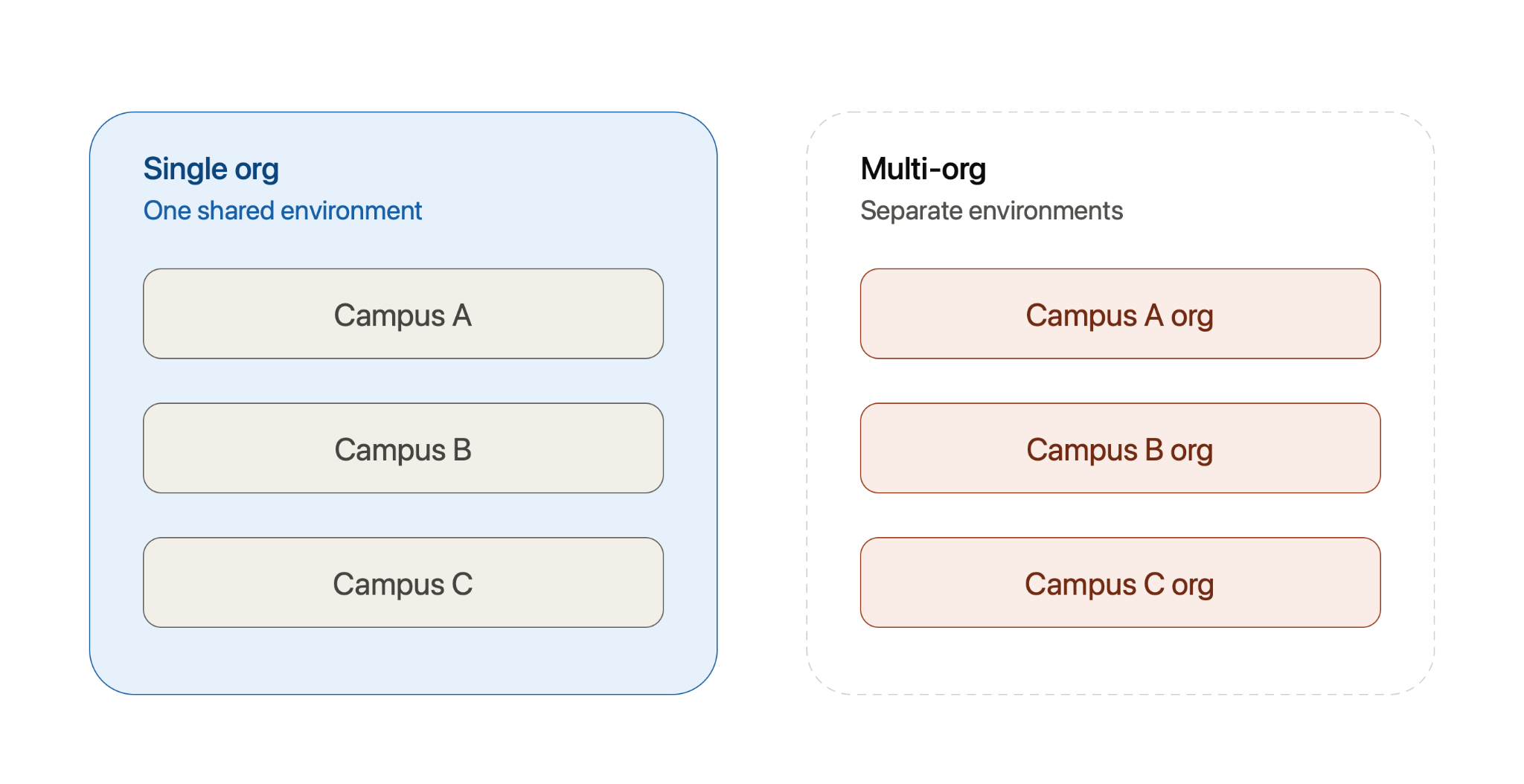
Here's what the decision matrices leave out: single-org and multi-org don't actually solve different problems. They trade one failure mode for another.
Single-org's failure mode is a shared blast radius. One org means one increasingly tangled configuration, and a change built for Campus A's workflow can quietly break Campus B's, because there's no wall between them.
Multi-org's failure mode is drift. Isolation solves the blast radius problem, but the price is orgs that quietly evolve apart from each other, until nobody on staff can explain why Campus A and Campus C report enrollment numbers differently, or why one campus's permission sets look nothing like another's.
Architecture doesn't remove the operational problem. It just decides which flavor of it you're going to live with. Either way, you need to be able to see what's actually happening across your environments. Otherwise you're just choosing between two different ways of losing track of your own org.
What Statewide Systems Actually Do at Scale
Look at how real state systems are architected, and multi-org shows up constantly, not because every planning committee chooses it in the abstract, but because scale makes it close to unavoidable.
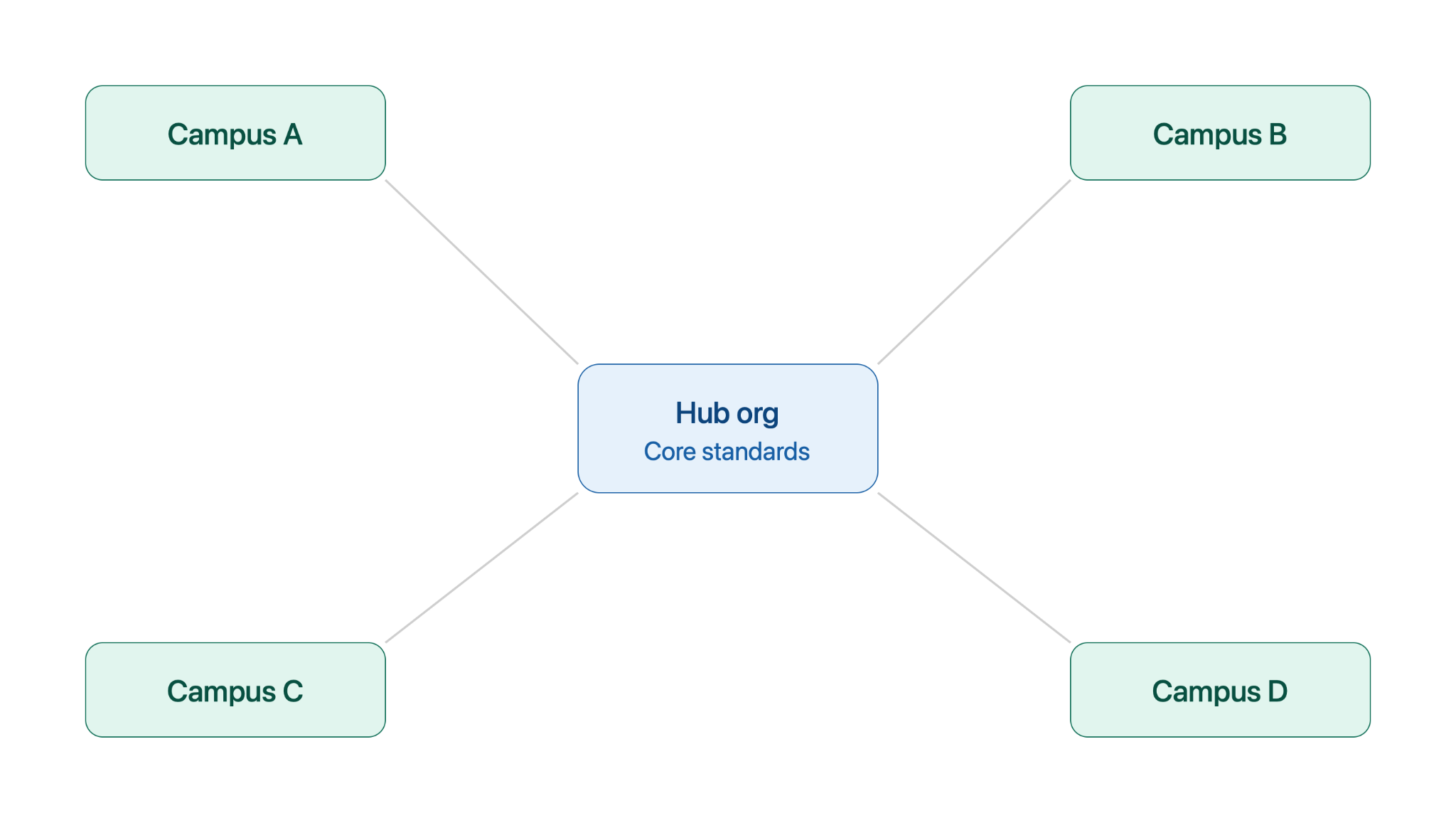
Virginia's community college system runs a coordinated hub-and-spoke architecture connecting 19 Salesforce orgs across 23 independently operated colleges. California's community college system spans 115 colleges, the largest system of its kind in the country. At that scale, a single shared org trying to serve every campus's workflow starts to buckle under its own weight, and systems end up with some multi-org variant almost by default.
For a lot of higher ed IT teams, this isn't a hypothetical architecture debate. It's the environment they're already standing in. The real question isn't whether to have multiple orgs. It's whether anyone can actually keep track of what's different between them.
The Real Checklist (Regardless of Which You Pick)
Whichever direction your system goes, ask these three questions before you finalize the architecture, not six months after:
- Visibility: Can you see, side by side, what's actually different between any two of your orgs before you deploy anything?
- Tracking: Is every change captured automatically, or is it living in a Slack thread and one admin's memory?
- A fast undo: When (not if) a deployment goes sideways, can you revert it in one click, or does it become a weekend?
Single-org systems need this to keep one shared environment from turning into a tangle nobody can safely touch. Multi-org systems need it to keep a dozen campuses from drifting into a dozen different, undocumented versions of "normal." Either way, the checklist is the same. It's just a question of how many environments you're running it against.
For what this actually looks like day-to-day inside a single org, Salesforce for Academic Operations walks through the deployment mechanics in detail.

The Day 2 Problem: Six Months After You Decide
Here's the scenario that never makes it into the architecture proposal: the decision gets made, it gets diagrammed in a slide deck, everyone nods, the project wraps. A year later, half the people in that meeting have moved on, a new regional campus spins up, and nobody left on staff can explain why the standard was set the way it was. The new campus just does its own thing, and the drift starts all over again.
The org-count decision is a one-time meeting. Staying in sync is a permanent job. Whatever architecture you pick, build for the job, not the meeting — because the person who made that call (yes, we know they've probably moved to another system by now) isn't the one dealing with the fallout in year three.
Whichever Way You Land
Single-org or multi-org isn't really a question of right or wrong — it's a question of which trade-off your system is built to handle. What actually determines whether either one works is boring, unglamorous, and rarely gets its own slide in the RFP: visibility into what's different, changes tracked automatically, and a fast way back when something breaks.
Get that in place, and the org-count debate stops being existential. It's just an architecture decision, not a bet your whole system's stability rides on.
Stop treating your org strategy like a one-time decision and your sync process like an afterthought.
FAQ
How many Salesforce orgs should a state university system run?
There's no single right number. Some statewide systems run one shared org with campus-level partitioning; others run a hub-and-spoke model with a dozen or more connected orgs, one per campus or region. Salesforce's own architecture guidance has weighed this trade-off since the early days of the platform, and the right answer still depends on how much local autonomy each campus needs versus how much needs to stay standardized. What matters more than the count is having visibility across whichever orgs you end up with, so campuses don't quietly drift apart from each other over time.
What is hub-and-spoke Salesforce architecture in higher education?
Hub-and-spoke is a model where a central "hub" org, often run by the system office, connects to multiple campus-level "spoke" orgs. Each campus keeps some local configuration while core objects, reporting, and compliance settings stay consistent system-wide. It's common in state community college and university systems balancing campus autonomy with statewide reporting, though as one higher ed CRM strategist has noted, it's a model systems aspire to more often than they actually achieve in practice.
Can you switch from single-org to multi-org later, or vice versa?
Yes, but it's a migration project, not a settings change. Expect it to look more like a re-implementation than a config update. That's exactly why it's worth putting visibility and sync tooling in place regardless of which architecture you start with, rather than treating the initial decision as either permanent or free to reverse.