

Salesforce DevOps
for Apex Developers
Get Version Control for your Salesforce sandboxes, compare orgs, merge changes and smoothly deploy between orgs.
Git-powered source versioning
Every sandbox and environment is tied to a branch in a Git repository. All changes in your org are automatically synched within a minute.
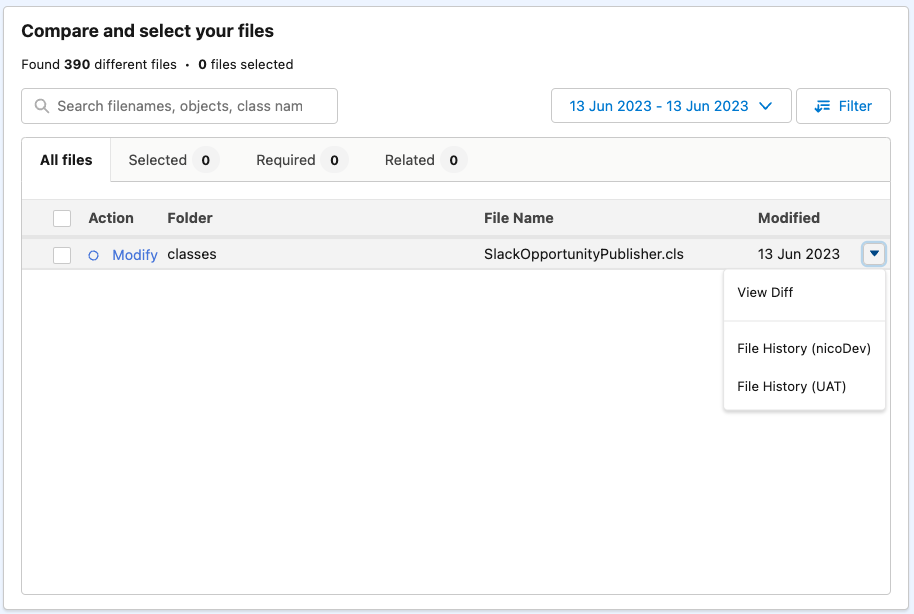
Compare orgs like you'd compare code branches 👌
Deployment Requests, and Peer Reviews!
Open up your Salesforce changes for review and benefit from automated validation.
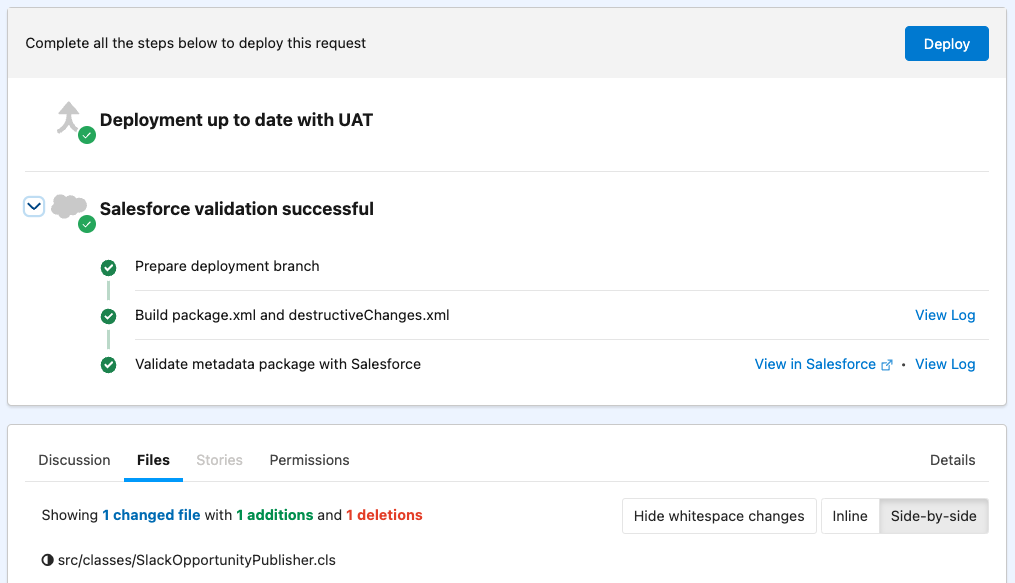
Pre-deployment checks that have your back

1. Dependency Resolution
Blue Canvas proactively informs you about fields, classes, layouts, and other metadata types missing from your deployment.

2. Package Validation
Run Apex unit tests to confirm that your code is good to go.

3. Permissions & Profiles
Bundle permission changes together with your metadata changes.
Merge Conflict Resolution!
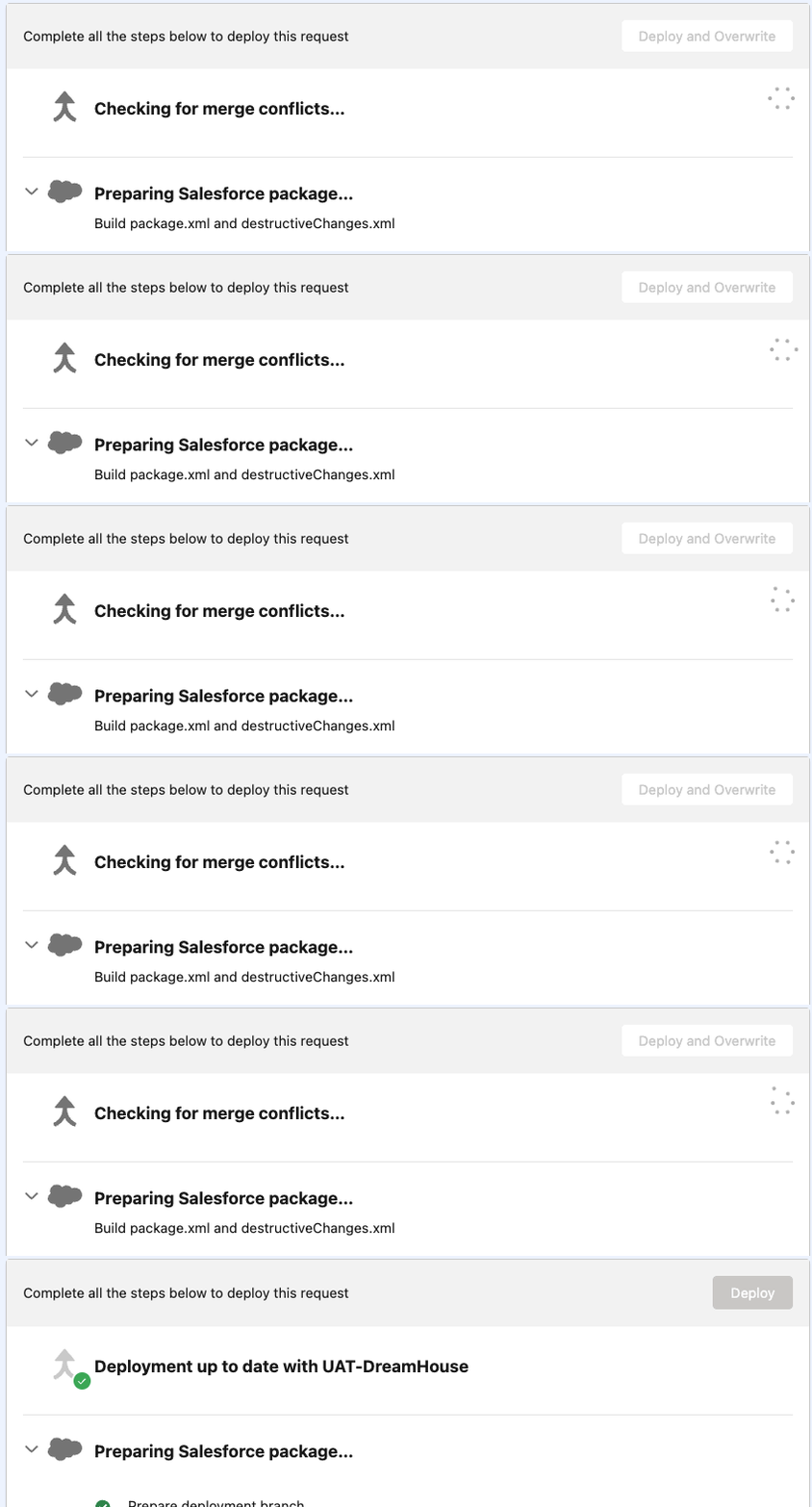
Blue Canvas detects on-the-fly if your deployment is conflicting with other changes that happened on the destination org.
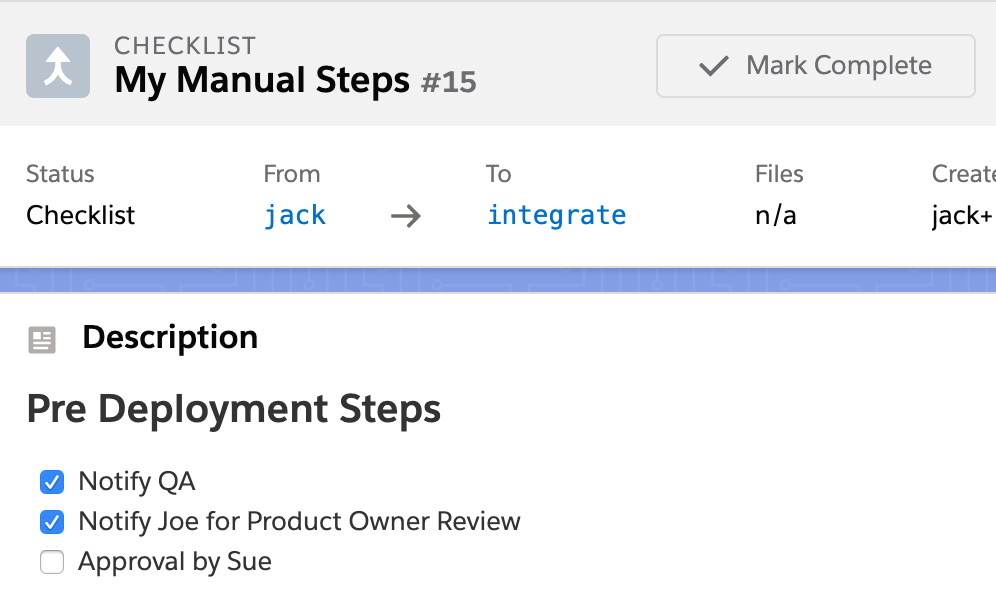
Deployment checklists
Checklists are templates for manual actions that need to be taken, such as code reviews or other deployment tasks not supported by the Salesforce Metadata API.
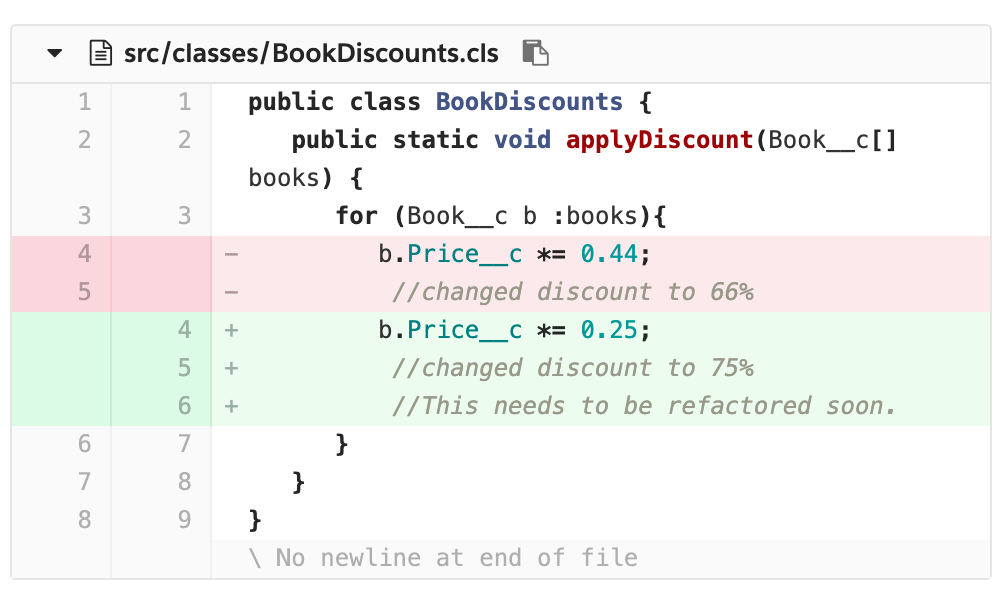
Code reviews
Use Git to review changes before they go live and provide commentary to your teammates.
Integrations & Ecosystems
Jira, GitHub, and CI/CD integrations built for Salesforce teams
Blue Canvas connects with Jira for end-to-end traceability, so developers can link every metadata change back to a ticket. It also integrates with GitHub, Azure DevOps, and Bitbucket, letting teams plug Blue Canvas into an existing CI/CD pipeline without rebuilding their workflow from scratch. Every deployment stays traceable from ticket to production.
What Salesforce Developers Are Saying About Blue Canvas
“We went from one developer to fifteen in less than a year. Without Blue Canvas keeping everything in Git and catching merge conflicts automatically, that growth would have been impossible without stepping on each other's toes constantly.”
Sam GarlandSenior Developer, Twilio

Twilio scaled from 1 to 15+ Salesforce developers, saved 2–3 days per sprint, and eliminated code overwrites with Blue Canvas.
➔ Read the Twilio story
Sysco's 40+ Salesforce developers cut deployment time by 90% after replacing Jenkins with Blue Canvas for metadata backup, Git version control, and release automation.
➔ Read the Sysco storyWhy Salesforce Developers Choose Blue Canvas Over Other DevOps Tools
| Blue Canvas | Industry Standard | |
|---|---|---|
| Setup & time to value | Live the same day, no implementation partner needed | Weeks of onboarding, often requires professional services |
| Built for Salesforce teams | Designed for mixed admin and developer teams, no command line required | Built for developers, admins must adapt or work around the tooling |
| Deployment pipeline | Full sandbox-to-production pipeline with automatic dependency resolution and merge conflict detection | Requires manual configuration, scripting, or additional tooling to handle Salesforce-specific deployment errors |
| Pricing & access | Transparent, self-serve pricing with all core features included from day one | Core features often gated behind enterprise tiers or add-on packages |
FAQs
How does Blue Canvas help growing Business Systems teams manage Salesforce deployments more effectively?+−
Blue Canvas gives Business Systems teams a structured deployment pipeline that scales with the org. As teams grow, ad hoc deployments and manual change tracking become unsustainable — changes collide, releases stall, and no one has a clear picture of what's been deployed where. Blue Canvas brings every sandbox into a Git-backed pipeline with built-in peer reviews, package validation, and merge conflict detection, so teams can ship with confidence regardless of how many developers and admins are working in parallel.
How quickly can a Salesforce team get value from Blue Canvas after signing up?+−
Blue Canvas is designed to deliver value the same day a team signs up. Unlike enterprise Salesforce DevOps platforms that require weeks of implementation and professional services, Blue Canvas connects to your orgs and Git repository in minutes through a guided setup. There's no infrastructure to build, no deployment scripts to maintain, and no DevOps engineer needed to get started. Most teams complete their first tracked deployment within hours of connecting their first sandbox.
How does Blue Canvas help Salesforce teams manage deployments across dev, QA, UAT, and production environments?+−
Blue Canvas maps directly to a team's sandbox pipeline — from developer orgs through QA and UAT all the way to production. Every change is tracked at the org level and tied to a Git branch, so teams always know exactly what's in each environment and what's pending promotion. Deployment requests move through the pipeline with built-in validation, Apex unit test runs, and dependency resolution at each stage, eliminating the guesswork and last-minute errors that slow down release cycles on complex multi-environment Salesforce orgs.
What makes Blue Canvas the best Salesforce DevOps tool for Apex developers who want Git integration without the overhead?+−
Blue Canvas is purpose-built for Apex developers who want the full benefits of Git-based version control without building or maintaining a CI/CD stack from scratch. Every org change is automatically synced to a connected Git branch, giving developers a complete history of what changed, when, and by whom. Code reviews, pull requests, and branch policies are surfaced directly in the Blue Canvas interface — so developers get a mature, Git-native workflow without spending time configuring Jenkins pipelines or managing deployment scripts.
Resources for Developers
Git Version Control for Salesforce: A Developer's Guide
How to set up Git-based version control for Apex, metadata, and declarative changes across your Salesforce orgs.
➔ Read articleGuideHow to Build a Salesforce CI/CD Pipeline Without Scripts
Replace Jenkins, ANT, and custom deployment scripts with an automated pipeline that handles validation, testing, and rollback.
➔ Read articleDeep DiveSolving Merge Conflicts in Salesforce Metadata
Why Salesforce metadata conflicts are different from code conflicts, and how Blue Canvas detects and resolves them automatically.
➔ Read articleBest PracticesCode Review Best Practices for Salesforce Teams
How to implement peer reviews for Apex, Flows, and declarative changes without slowing down your release cycle.
➔ Read articleGuideSandbox Management for Multi-Environment Salesforce Orgs
Strategies for keeping dev, QA, UAT, and production in sync using Git-backed tracking and automated org comparison.
➔ Read articleDeep DiveDependency Resolution: Why Salesforce Deployments Fail and How to Fix It
Understand how missing fields, layouts, and classes cause deployment errors — and how Blue Canvas catches them before you deploy.
➔ Read articleStart your DevOps journey today
Over 850 million lines of code are securely backed up with Blue Canvas, empowering enterprises to continuously deploy and rollback in Salesforce with ease and maintain environment parity across orgs.