Deploying Profiles and Permission Sets
Blue Canvas is excited to offer a free tool to the community for deploying Salesforce’s trickiest metadata type.
 By Blue Canvas Team·Reviewed by the Blue Canvas team··2 min read
Profiles and Permission Sets are the bane of many a Salesforce developer’s existence. They are difficult to deploy with Change Sets, and they generate such massive XML files that they do not play nicely with automation through Ant or Salesforce DX. Making matters worse, they are very important - so you really don’t want to make a mistake with them. But they are tedious so manual intervention is risky.
So what’s a Salesforce admin or developer to do? Fortunately, we’ve built a Profile and Permission Sets deployment tool that is simple, performant, and intuitive that will reduce time to deploy and the number of mistakes made in deployments.
Our new tool is simple - it allows you to compare Profiles and Permission Sets between any two Salesforce orgs. You can easily see when new profiles have been created or if there are differences between the existing profiles in each org. We can also do this for Permission Sets.
We then make it easy to select the profiles that you want to deploy and move them from the source org into the target org. When we do this we will also copy over user settings and other metadata associated with the Profile.
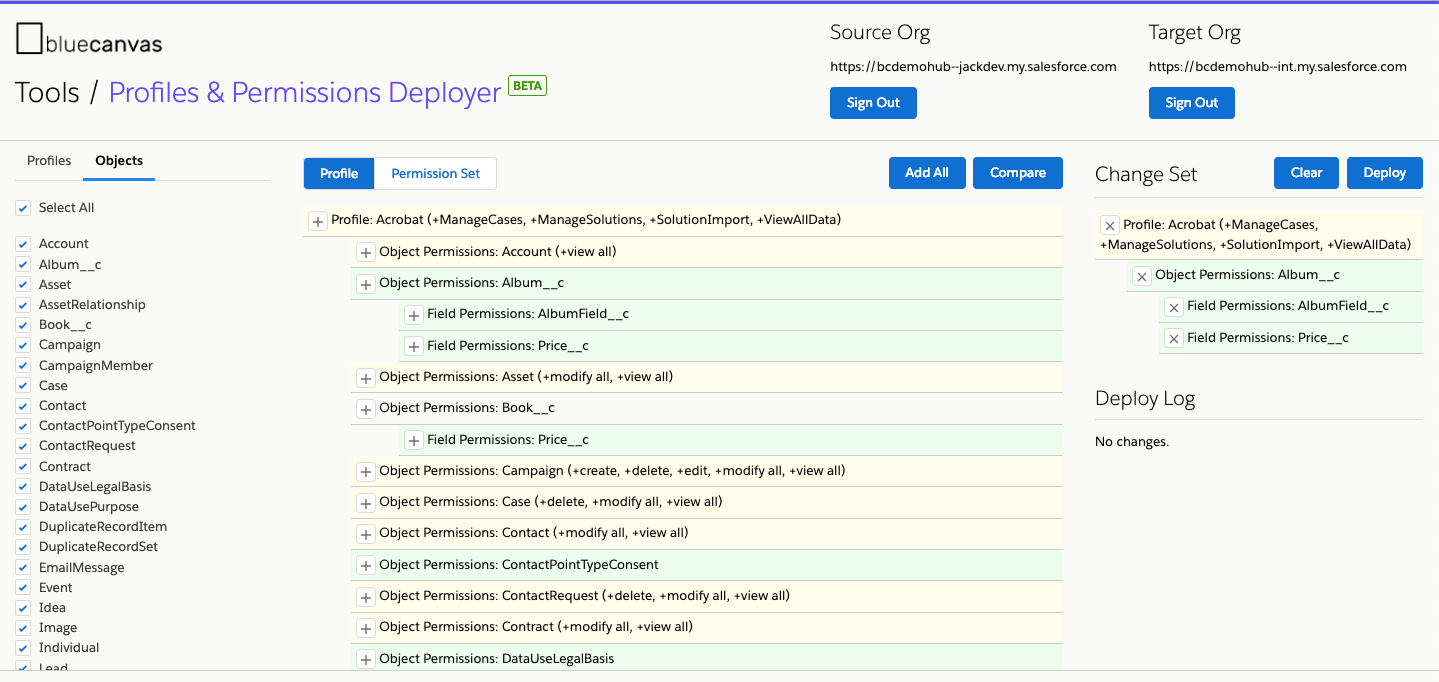
We also allow you to select and diff Profile and Permission Set differences at the Object level. When you do your org compare, we list all Objects in your org and will provide a diff of the Field Level Security on each Profile and Permission Set selected.
Users can update permissions on a field by field basis using our diff tool.
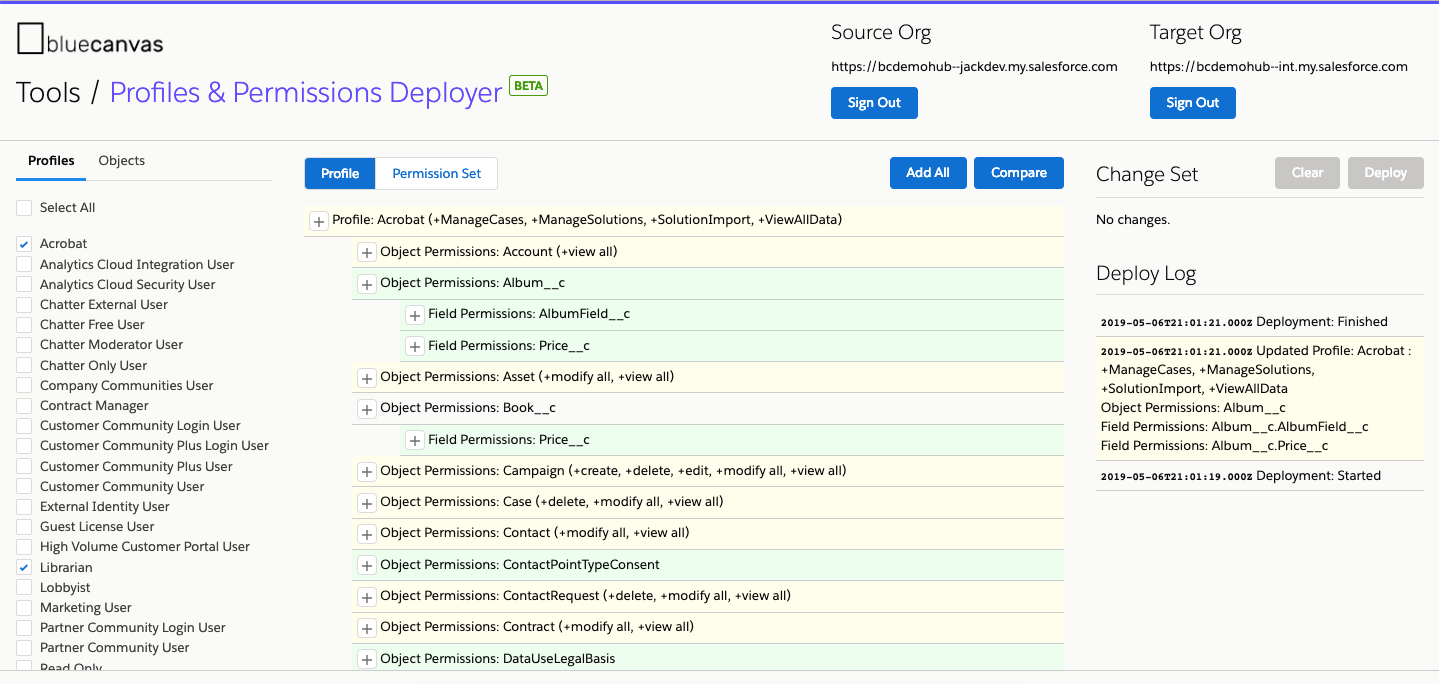
The tool allows you to use these diffs and comparisons to build change sets that can be deployed from a source to a target org. So I can deploy the entire Object for a given profile or I can just deploy the permissions for a single field.
Keeping Track of Profiles and Permission Sets Changes
Profiles and Permission Sets are challenging to automate in part because the represent such giant proportions of any given Salesforce org. Salesforce generates massive XML files for each Profile and Permission Set across every Object in the org which can make it especially challenging to manage. This makes it a performance problem as well.
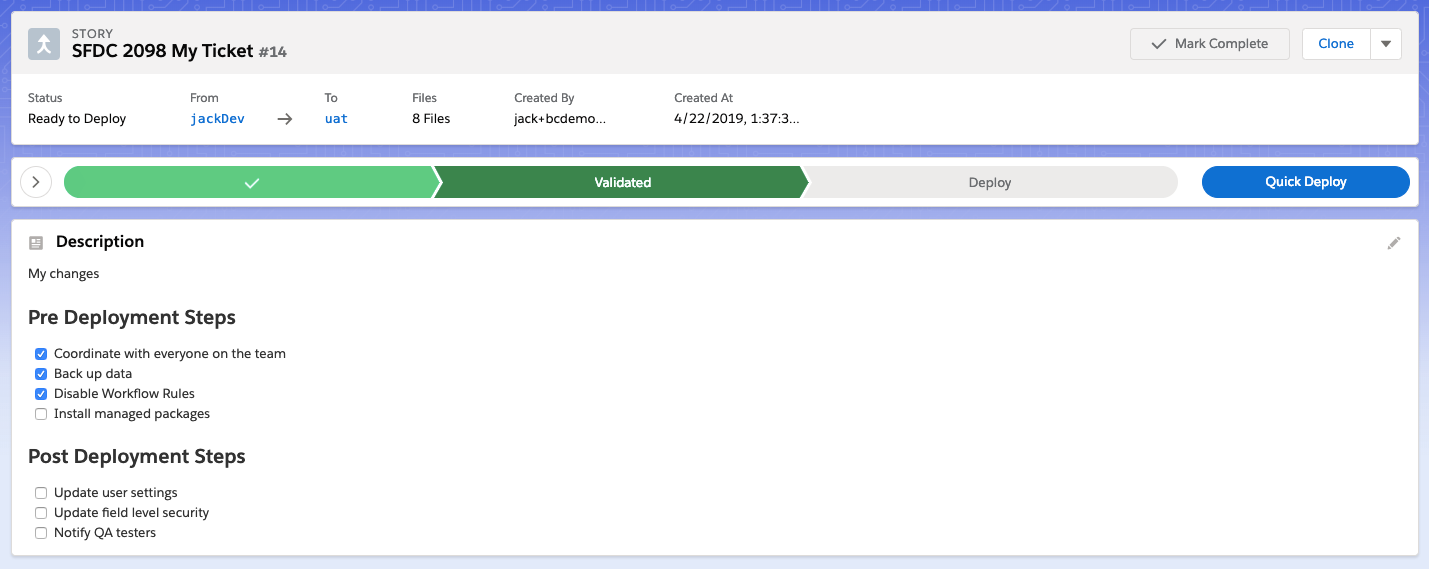
Our tool avoids this by keeping the deployment of Profiles and Permission Sets to a separate tool within our UI. Users can leverage our new manual checklists for pre and post deployment steps feature to keep track of Profile and Permission Set deployments in the UI.
Now Available in Beta for Free!
Our Profile and Permission Set deployer is now available in beta. The best news is that beta testers of the tool will get free access to it for the rest of 2019! To get started visit: https://tools.bluecanvas.io/perms/.