Announcing Merge Conflict Resolution for Salesforce!
Fail fast, review conflicts, and smoothly merge changes with peace of mind 👌
 By Blue Canvas Team·Reviewed by the Blue Canvas team··6 min read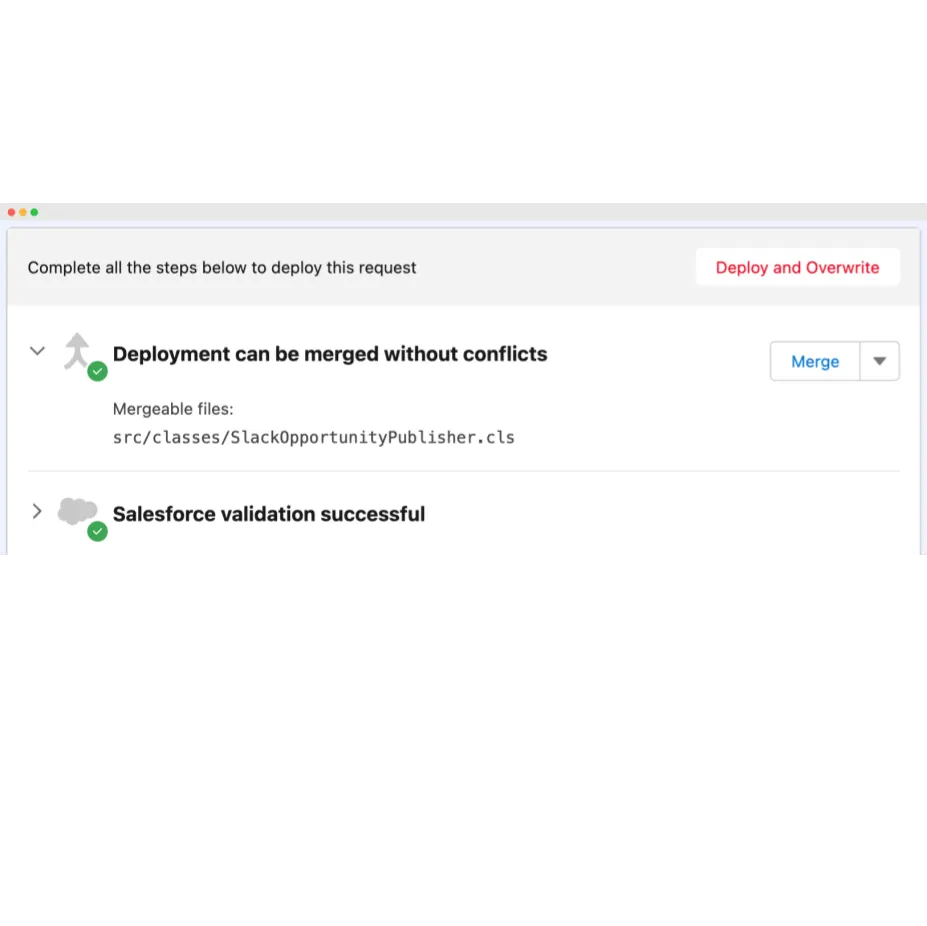
This blog post is #3 in our series of Git+Salesforce blog posts. If you haven’t read our previous posts, check out Why Salesforce DevOps is more than just hooking up a git repo to a Salesforce org and Why merging is the hardest part of integrating Git with Salesforce .
We are excited to announce the release of our latest feature to all Blue Canvas users: Merge Conflict Resolution! Stressful Salesforce deployments where one change ends up overwriting another colleagues’ work are unfortunately still a common pitfall with Change Sets as well as with more recent Salesforce tooling. There is a strong need out there for a safety net that can detect merge conflicts on-the-fly and raise a flag before any harm is done, and we couldn’t be happier offering our latest feature to help with just that.
With Merge Conflict Resolution, Blue Canvas detects on-the-fly if your deployment is conflicting with other changes that happened on the destination org. This important milestone will help all Salesforce devs and admin teams better collaborate in their Salesforce environment, applying the ‘fail fast’ principle to deployments between orgs and sandboxes. Without further ado, let’s dive into our updated UX and discover the new capabilities we are rolling out to help you deploy more safely, and with more peace of mind!
Checking for merge conflicts - A new validation step
Adding to existing validation steps (package validation, peer review, and custom checks) Blue Canvas will now systematically verify each deployment request for merge conflicts. This new step leverages our inner Git engine to precisely track and compare how source and destination orgs evolve while you and your team are working on new features.
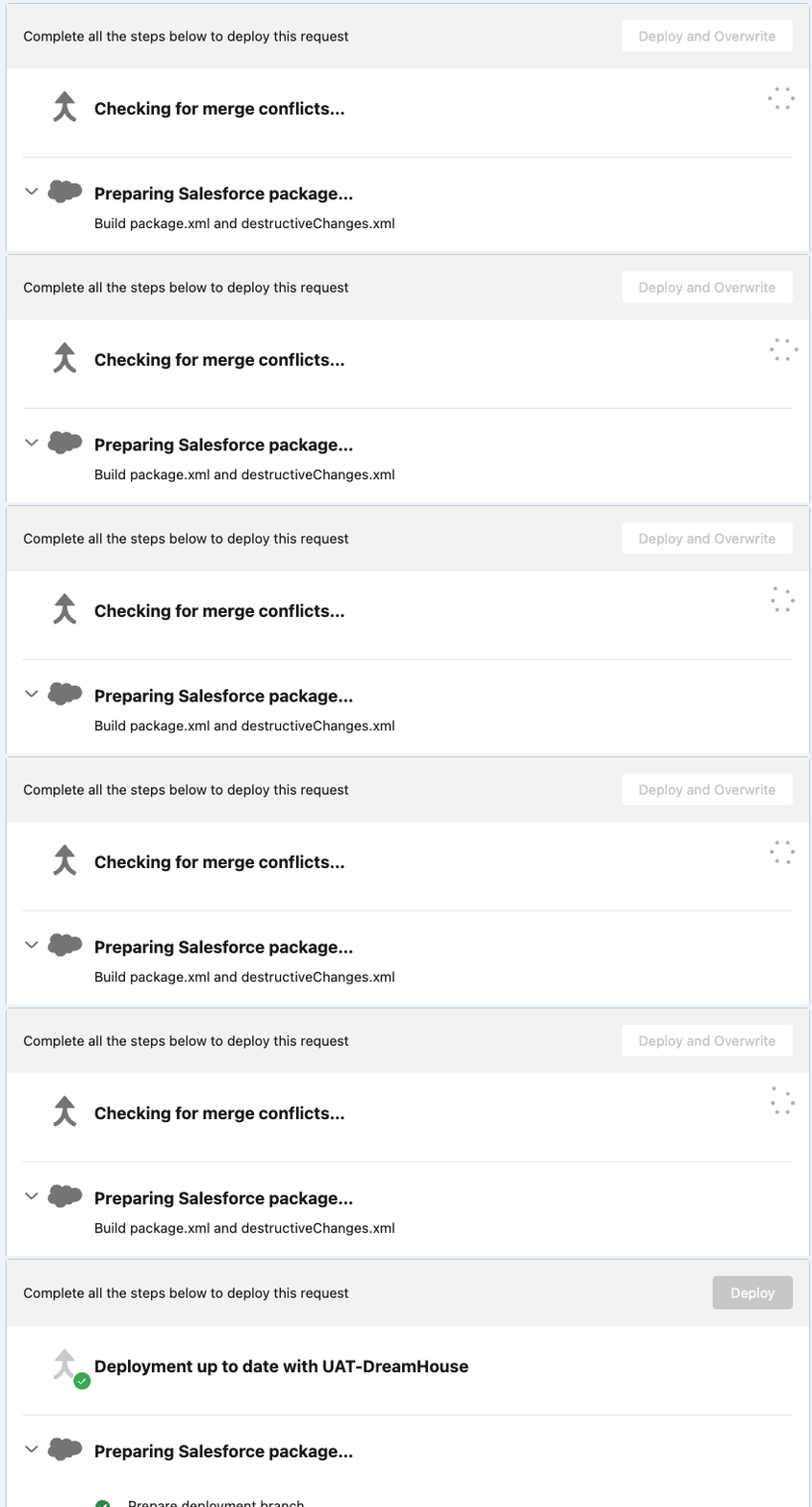
As you can see from the illustration above, the ideal case (and hopefully the most common one!) is that your local workspace was in sync with the destination org, and there is therefore no reason to worry. In such cases our Metadata Deployer will simply inform you that your ‘Deployment is up to date’ with the org that you are targeting. Provided other validations and peer review go well, you’ll be able to safely proceed with deploying.
Deployment cannot be merged due to conflict - Your new fail-fast best friend!
In the event that changes occur on the destination org, causing a conflict with what you are proposing to deploy, here’s what you will now see instead:
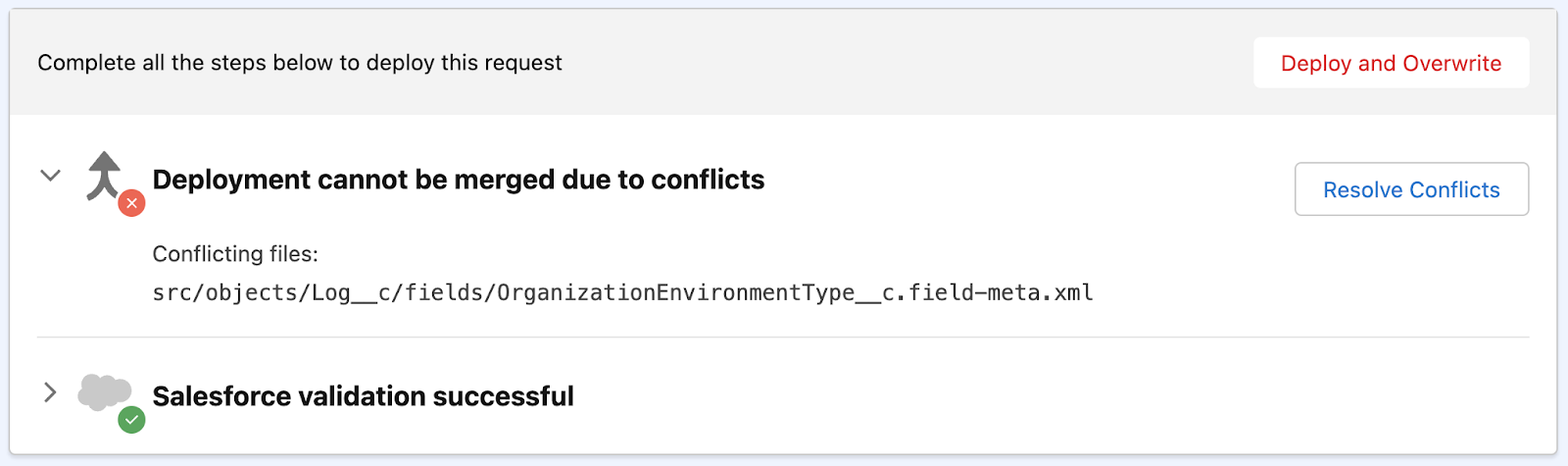
While it looks simple in essence, this safeguard is actually a game-changer to traditional Salesforce deployment workflows. With Salesforce Change Sets you would instead be proceeding blindly, deploying your work and overwriting whatever was changed on the destination org (a colleagues’ contribution!). To try to guard against that, a number of DevOps tools allow you to instead manually refresh the ‘state’ of the destination org, to verify if a change occurred or not. Still, at Blue Canvas we believe that none of this hassle should fall down to the end-user, which is why we’ve strived for an automated and ‘always-on’ solution.
With Merge Conflict Resolution, Blue Canvas actually handles all merge-related verifications seamlessly for you:
- Merge Conflicts are not checked just at the creation of the Deployment Request, but on a continuous and automated basis (keeping an eye on what’s happening in both source and target orgs)
- Our Quick Sync functionality ensures that any change in either org is captured within a minute or two (see our dedicated blog post on it)
- Combined together, this means that you are protected from start to finish when preparing Salesforce deployments with Blue Canvas. You gain continuous awareness of any change happening on the destination org, and ultimately benefit from peace of mind when you do hit that ‘Deploy!’ button, knowing that the destination org will be in a predictable and tested state.
3-way Salesforce merge - Power to the user!
Our upgraded Metadata Deployer goes beyond just checking and warning against Merge Conflicts. Our goal is to guide the developers and admins along each step of the process, including when that means reviewing and resolving a specific conflict.
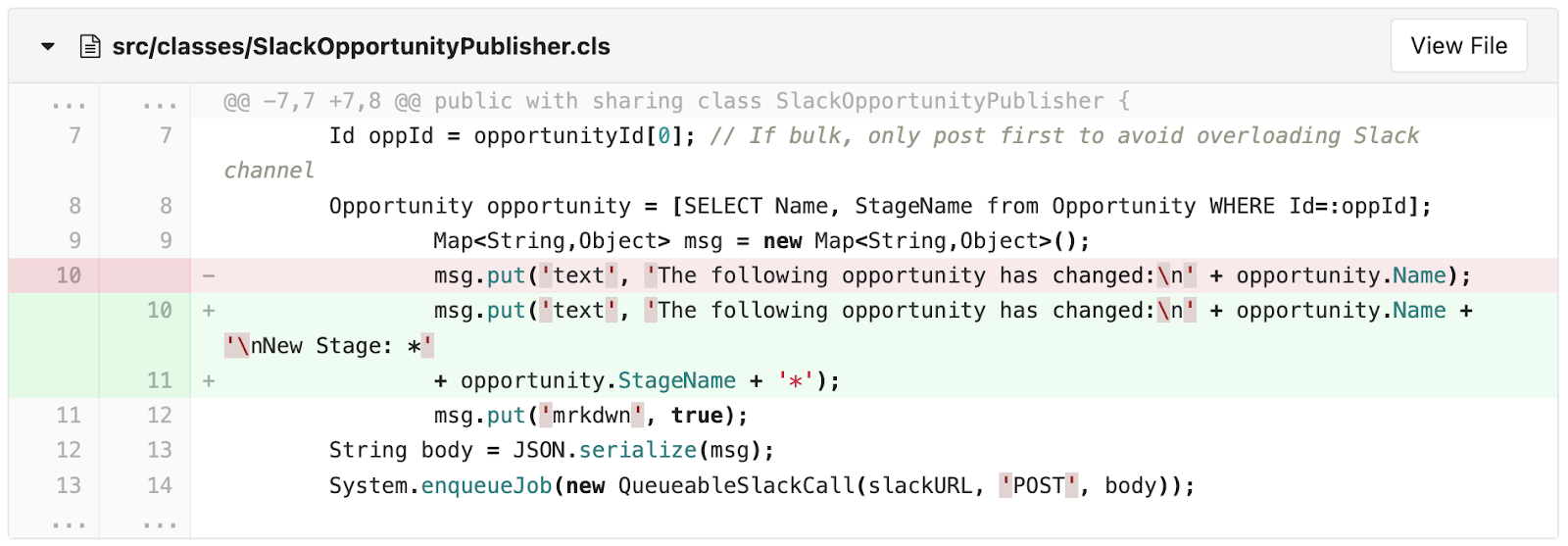
Let’s consider a deployment workflow where Charlie would like to push the following change they worked on (SlackOpportunityPublisher.cls sends a heads-up about modified opportunities on a Slack channel; Charlie is updating it so it tells the new stage of the modified opportunity):
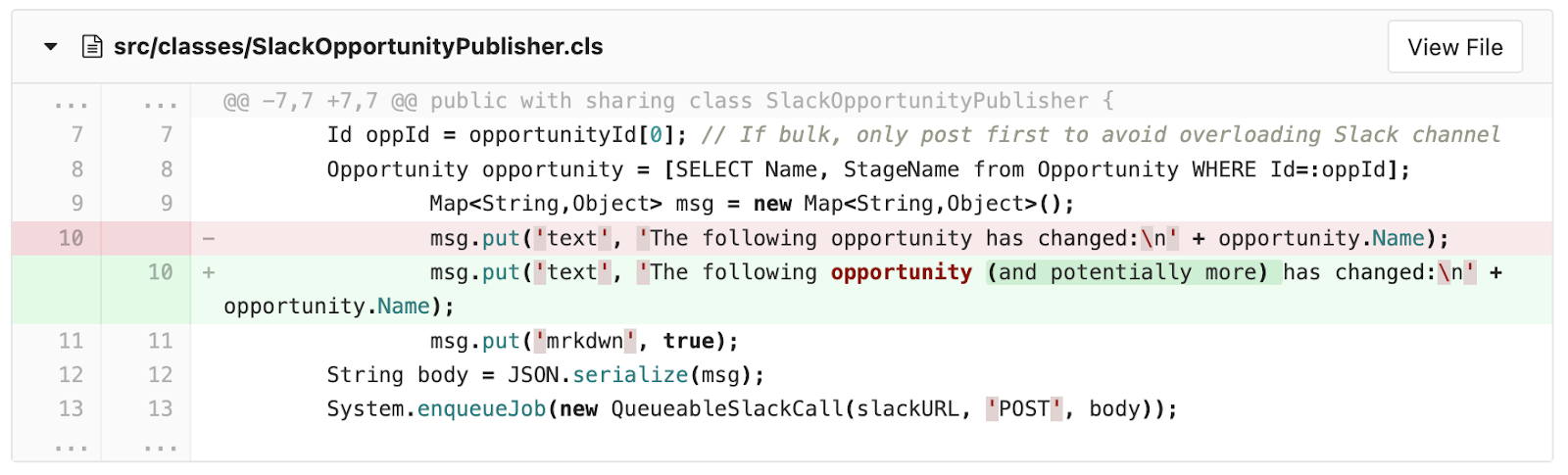
Now consider that Elliot (Charlie’s colleague) is also working on that class. Elliot is editing it directly on UAT to clarify something ambiguous in the Slack notification (it only says when the first opportunity is modified, while there may be more):
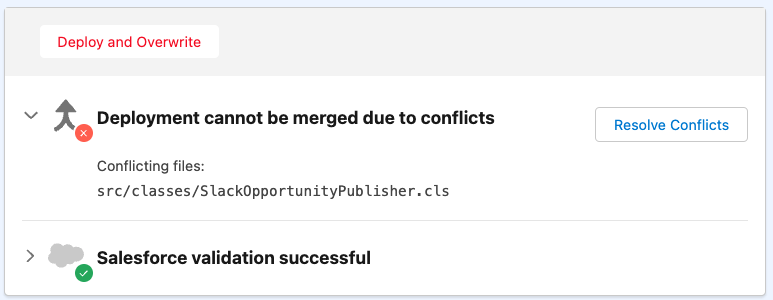
Because Elliot has directly changed UAT, Charlie is now lagging behind. If Charlie was to deploy their code to UAT, Elliot’s change would get silently overwritten. With Merge Conflict Resolution, Blue Canvas will instead explicitly warn you, and invite you to ‘Resolve Conflicts’:
‘Resolve Conflicts’ guides you to an interactive 3-way merge panel where you can compare the source with the target, and precisely define what you want the end-result to look like. This gives Salesforce devs and admins total control over what the merge result is going to look like.
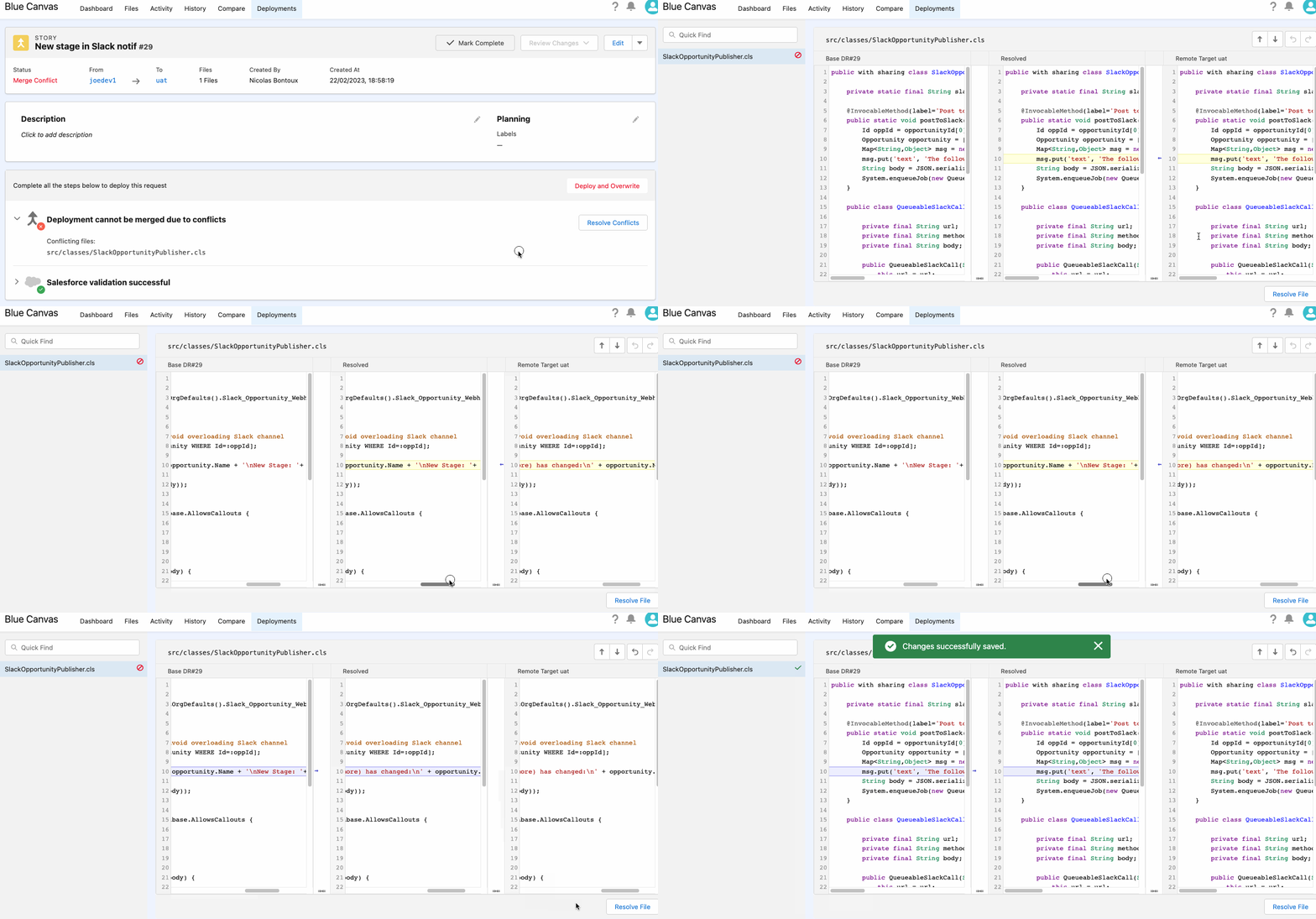
Note that while you’re working on your merge, Blue Canvas keeps track of your work as a draft (so you can pick it back up later), and informs your team through the UI so they can sync with you accordingly (or even take over if need be).
Salesforce auto-merge - The cherry on top! 🍒
We’ve mentioned already that Merge Conflict Resolution is an evolution on top of our existing Git engine for Salesforce history tracking and deployments. This allows us to push even further and offer some neat automation for simple merge cases. Consider the two changes in the same file, originating from different orgs (Charlie’s and Elliot’s):
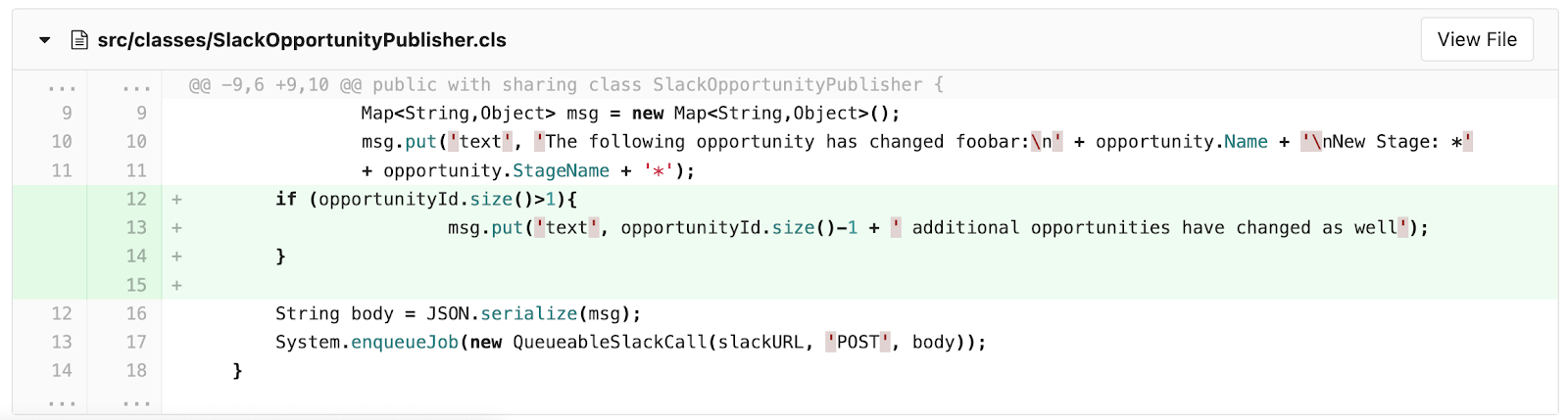
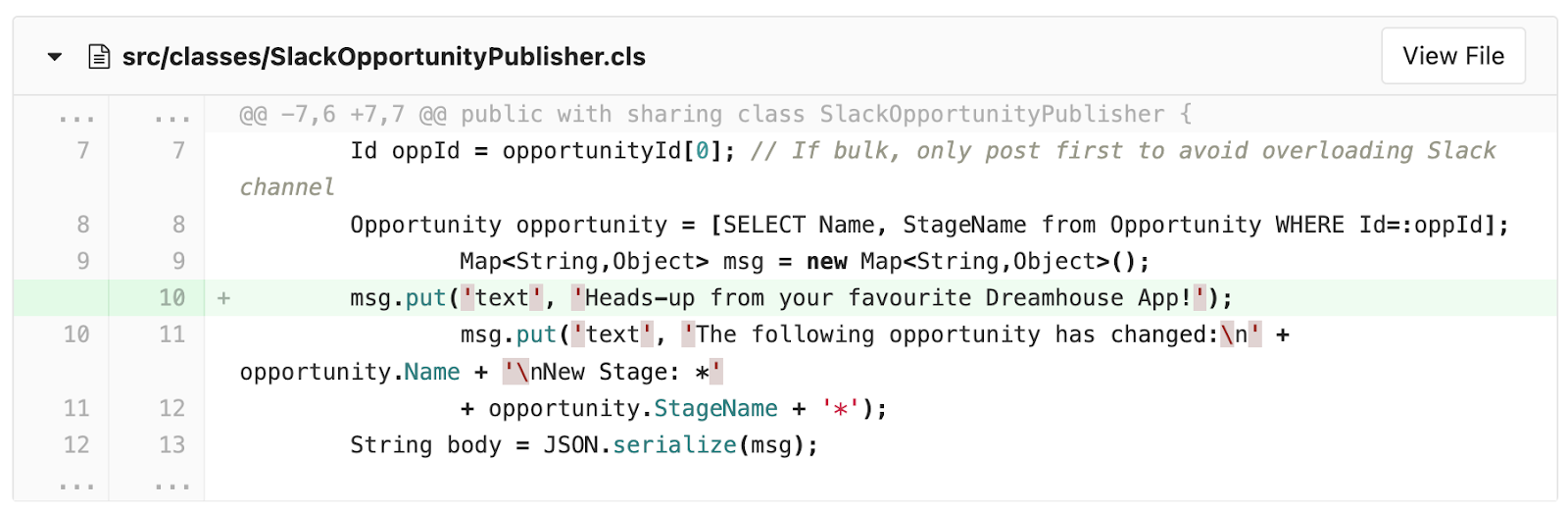
Since these changes are clearly distinct in the Git diff, Git (and by extension Blue Canvas) offers the ability to auto-merge without you having to intervene at all. In Blue Canvas, such scenarios will look like this:

Just hit the Merge button and Blue Canvas will update the deployment package accordingly! Once again bringing you both awareness of what changes are being brought together, as well as confidence that your deployment is in safe hands.
Wrap-up - Try it, love it, and share feedback!
We’ve illustrated Merge Conflict Resolution with a few Apex examples, but it goes without saying that the same workflow is live for any Salesforce metadata change! Your custom fields and other Salesforce objects are safe to deploy, with the same Merge Conflict warnings and guidance that will chime in in case of parallel/conflicting changes in the target org.
Ultimately the best way to get a sense of this new feature is to try it out! It’s live for any new trial, and is being rolled out as we speak to all pre-existing accounts. Don’t see much change in the UI at first? Think of this feature as an airbag: carefully hidden to protect you, and will pop right when needed to protect you in case your change conflicts with something else.
Let us know your feedback, enjoy our 15-day free trial if you haven’t done so already, and have fun deploying with Blue Canvas!
Best,
The Blue Canvas Team